{
"@type": "Article",
"image": {
"url": "https://csuxjmfbwmkxiegfpljm.supabase.co/storage/v1/object/public/blog-images/organization-10884/1774228165068_Shopify-store-owner-working-at-kitchen-table.jpeg",
"@type": "ImageObject",
"caption": "Shopify store owner working at kitchen table"
},
"author": {
"url": "https://thinknectar.com",
"name": "Thinknectar",
"@type": "Organization"
},
"@context": "https://schema.org",
"headline": "Shopify store optimization guide: boost sales by 40%",
"publisher": {
"url": "https://thinknectar.com",
"name": "Thinknectar",
"@type": "Organization"
},
"inLanguage": "en-US",
"articleBody": "Learn proven Shopify store optimization tactics to boost sales by 40%. Discover preparation steps, execution strategies, and verification methods for e-commerce success.",
"description": "Learn proven Shopify store optimization tactics to boost sales by 40%. Discover preparation steps, execution strategies, and verification methods for e-commerce success.",
"datePublished": "2026-03-23T01:09:27.898Z"
}
Shopify store optimization guide: boost sales by 40%
.webp)

Many Shopify stores struggle to maximize conversion and sales due to optimization gaps. Slow page speeds, unclear product information, and poor navigation create friction that drives potential customers away. This guide offers actionable steps to optimize Shopify stores for better performance. E-commerce brand managers will learn how to prepare, execute, and verify key improvements that transform underperforming storefronts into revenue-generating machines. From comprehensive audits to strategic implementation and ongoing measurement, you’ll discover proven tactics that deliver measurable results.
Key Takeaways
| Point | Details |
|---|---|
| Audit and goals | Begin with comprehensive audits to establish baselines and set specific, measurable targets that guide all optimization work. |
| Speed optimization focus | Prioritize site speed by auditing metrics, identifying render blocking resources, and applying proven improvements to reduce load times. |
| Product and UX enhancements | Improve product information clarity, images, navigation, and presentation to reduce friction and boost conversions. |
| Measurement and tracking | Track KPIs with analytics, heatmaps, and SEO metrics and adjust the plan as results change. |
Preparing your Shopify store for optimization
Effective Shopify store optimization starts with comprehensive audits and clear goal setting. Before implementing any changes, you need a baseline understanding of current performance metrics and specific areas requiring improvement. This preparation phase determines the success of your entire optimization strategy.
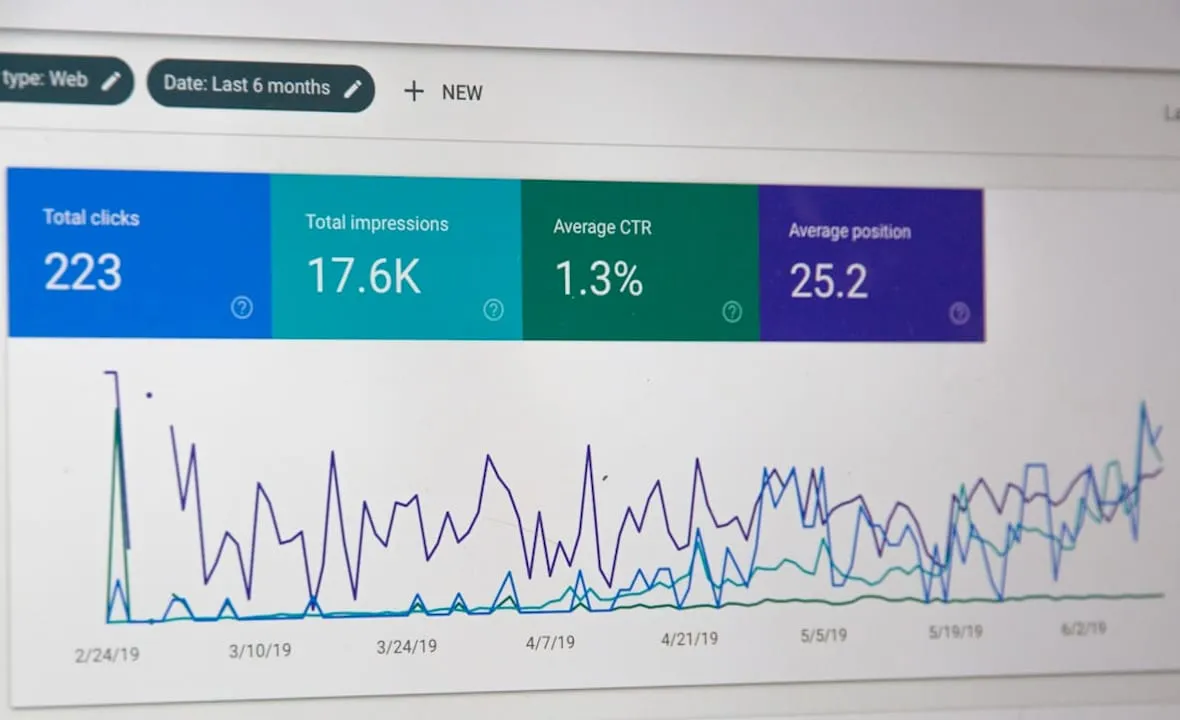
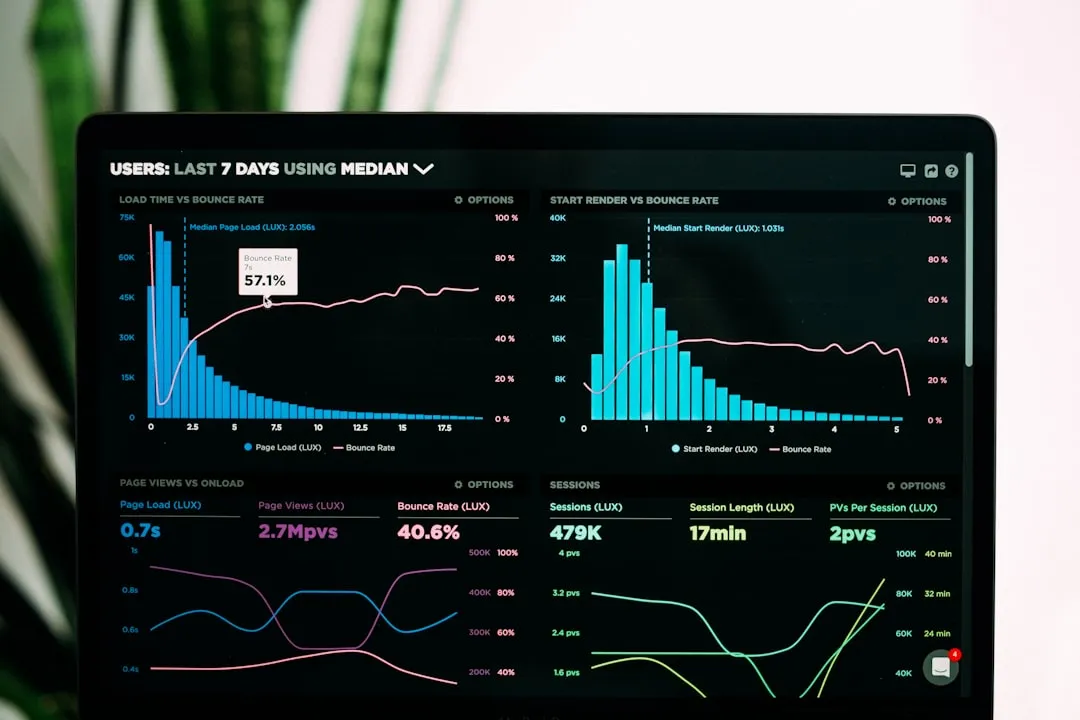
Start by auditing your current site speed using tools like Google PageSpeed Insights and GTmetrix. These platforms reveal loading times, identify render-blocking resources, and highlight optimization opportunities. Your audit should also examine user experience issues through session recordings and heatmaps that show where visitors click, scroll, and abandon their journey. SEO performance requires analysis of keyword rankings, organic traffic patterns, and technical issues like broken links or duplicate content. Finally, map your sales funnels to identify drop-off points where potential customers exit without purchasing.
Set measurable optimization goals aligned with business objectives. Rather than vague aspirations like “improve performance,” establish specific targets such as reducing page load time to under 2 seconds, increasing conversion rate by 1.5%, or boosting average order value by $15. These concrete metrics provide clear success criteria and help prioritize optimization efforts.
Gather the right tools for analytics, heatmaps, and conversion tracking:
-
Google Analytics for traffic analysis and conversion tracking
-
Hotjar or Crazy Egg for heatmaps and session recordings
-
SEMrush or Ahrefs for SEO auditing and keyword research
-
Shopify’s native analytics for sales and customer data
-
Speed testing tools like Pingdom and WebPageTest
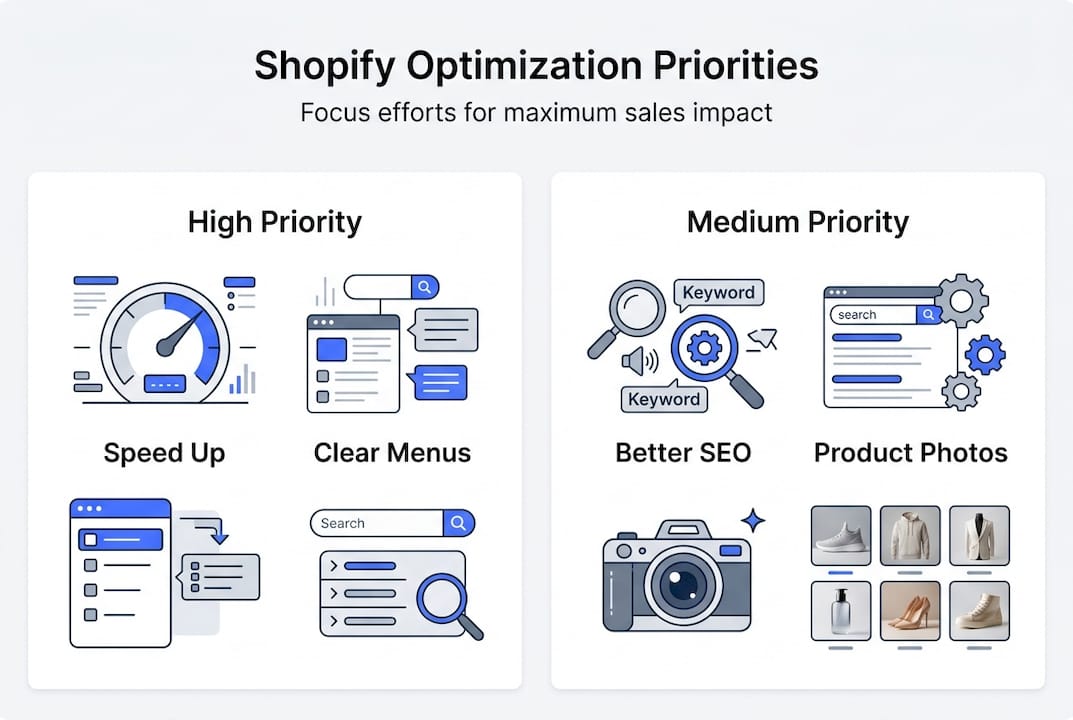
Prepare a prioritized action list based on audit findings. Not all optimization opportunities deliver equal impact, so focus first on changes that affect the most visitors or have the highest conversion potential. High-traffic product pages deserve attention before rarely viewed content. Critical technical issues like broken checkout flows must be addressed before aesthetic improvements.
| Priority level | Optimization type | Typical impact | Implementation time |
|---|---|---|---|
| Critical | Broken checkout flows | High | 1-3 days |
| High | Homepage load speed | High | 3-7 days |
| Medium | Product page enhancements | Medium | 1-2 weeks |
| Low | Blog post optimization | Low | 2-4 weeks |
Pro Tip: Create a spreadsheet tracking each optimization task, its priority level, estimated impact, required resources, and completion status. This roadmap keeps your team aligned and ensures nothing falls through the cracks during implementation.
Executing key optimization tactics to boost sales
Optimizing product listings and site speed significantly improves conversion rates. Once you’ve completed your preparation phase, systematic execution of high-impact tactics transforms your Shopify store into a conversion machine. Focus on technical performance, product presentation, navigation clarity, and search visibility.
Follow these steps for site speed improvements:
-
Compress all product images using tools like TinyPNG or ShortPixel, reducing file sizes by 60-80% without visible quality loss
-
Implement lazy loading so images only load when users scroll to them, dramatically reducing initial page weight
-
Minimize JavaScript and CSS files by removing unused code and combining multiple files into single resources
-
Enable browser caching to store static resources locally, eliminating repeated downloads for returning visitors
-
Use a content delivery network (CDN) to serve assets from servers geographically closer to your customers
-
Upgrade to a faster Shopify theme optimized for performance if your current theme has bloated code
Enhance product pages with elements that build trust and reduce purchase hesitation. Clear, benefit-focused descriptions answer customer questions before they arise. High-quality images showing products from multiple angles help shoppers visualize ownership. Customer reviews provide social proof that reduces perceived risk. Include detailed specifications, size guides, and shipping information prominently. Add urgency elements like low stock indicators or limited-time offers when genuine.
“The difference between a good product page and a great one isn’t just aesthetics. It’s about removing every possible barrier between the customer’s interest and their purchase decision. Every unanswered question is a potential lost sale.”
Improve site navigation with clear menus and robust search features. Your main navigation should reflect how customers think about your products, not how you organize your warehouse. Limit top-level menu items to 5-7 categories to prevent overwhelming choices. Implement a predictive search feature that suggests products as users type. Add filters and sorting options on collection pages so shoppers can quickly narrow results. Include breadcrumb navigation so visitors always know their location within your site structure.

| Navigation element | Purpose | Best practice |
|---|---|---|
| Main menu | Category access | 5-7 top-level items maximum |
| Search bar | Direct product finding | Prominent placement with autocomplete |
| Filters | Product refinement | Include price, size, color, rating |
| Breadcrumbs | Orientation | Show full path from homepage |
SEO best practices tailored for Shopify product and category pages drive organic traffic growth. Optimize product titles to include primary keywords naturally while remaining readable. Write unique meta descriptions for each product that entice clicks from search results. Use header tags (H1, H2, H3) to structure content logically. Add alt text to all images describing what they show. Create descriptive URLs that include keywords rather than product numbers. Build internal links between related products and relevant blog content. Generate an XML sitemap and submit it to Google Search Console.
Pro Tip: Focus optimization efforts on your top 20% of products that generate 80% of revenue. Once these high-performers are fully optimized, expand to mid-tier products. This approach delivers faster ROI than trying to optimize everything simultaneously.
Verifying optimization success and ongoing improvements
Data analysis of ecommerce metrics is essential to verify optimization impact and guide continuous improvements. After implementing changes, rigorous measurement determines what worked, what failed, and where to focus next. Without proper verification, you’re optimizing blind.
Identify KPIs that directly reflect optimization success. Conversion rate shows the percentage of visitors who complete purchases. Average order value reveals whether customers are buying more per transaction. Bounce rate indicates if visitors find your site relevant and engaging. Page load time measures technical performance improvements. Cart abandonment rate highlights friction in the checkout process. Revenue per visitor combines traffic quality and conversion effectiveness. Time on site and pages per session demonstrate engagement levels.
Use analytics dashboards and heatmaps to gather actionable insights:
-
Set up Google Analytics goals tracking key conversion events like purchases, email signups, and add-to-cart actions
-
Create custom dashboards showing your priority KPIs in one view for quick daily monitoring
-
Review heatmaps to see if design changes directed attention to intended elements
-
Analyze session recordings to identify unexpected user behavior or confusion points
-
Segment data by traffic source, device type, and customer segment to understand performance variations
Compare performance data before and after optimization using statistical rigor. Establish a pre-optimization baseline by collecting at least two weeks of data before making changes. After implementation, allow sufficient time for results to stabilize before drawing conclusions. Calculate percentage improvements rather than absolute numbers to understand true impact. Use A/B testing when possible to isolate the effect of individual changes from seasonal variations or external factors.
| Metric | Pre-optimization | Post-optimization | Improvement |
|---|---|---|---|
| Conversion rate | 1.8% | 2.4% | +33% |
| Average order value | $67 | $78 | +16% |
| Page load time | 4.2s | 1.9s | -55% |
| Bounce rate | 58% | 42% | -28% |
| Cart abandonment | 71% | 63% | -11% |
Plan iterative improvements based on verification results. Optimization isn’t a one-time project but an ongoing process of testing, measuring, and refining. Successful optimizations should be expanded to similar pages or products. Failed experiments provide valuable learning about customer preferences. New opportunities emerge as you gather more data and customer behavior evolves. Market changes, seasonal patterns, and competitor actions require continuous adaptation.
Schedule monthly optimization reviews examining recent performance data, identifying new opportunities, and prioritizing next steps. Quarterly deep dives should assess overall strategy effectiveness and major initiative planning. Annual comprehensive audits ensure your Shopify store keeps pace with industry best practices and technological advances. This rhythm of continuous improvement compounds small gains into significant competitive advantages.
Pro Tip: Create a hypothesis log documenting each optimization attempt, the reasoning behind it, expected impact, and actual results. This knowledge base prevents repeating failed experiments and helps train new team members on what works for your specific audience.
Discover expert Shopify optimization services
Optimizing your Shopify store requires specialized expertise, dedicated resources, and ongoing commitment. While this guide provides a solid foundation, partnering with experienced professionals accelerates results and maximizes ROI.
Nectar offers expert Shopify store optimization tailored to enterprise e-commerce brands seeking profitable growth. Our creative and technical services for profitable brand growth online maximize your store’s sales potential through data-driven strategies and high-impact design. We’ve helped leading brands achieve remarkable results, like building the perfect shopping trip on Shopify through comprehensive optimization. Our ecommerce service combines in-house creative capabilities with sophisticated analytics to transform underperforming stores into revenue-generating machines. Discover how our proprietary iDerive platform provides the granular insights needed to scale smarter and increase market share.
Frequently asked questions
What is Shopify store optimization?
Shopify store optimization is improving your store’s design, speed, product pages, and SEO to increase sales and performance. It involves technical and content updates tailored to your customers and business goals. Optimization addresses friction points that prevent conversions and enhances elements that drive purchases.
How long does it take to see results from Shopify optimization?
Results vary depending on the extent of optimizations and your starting baseline. Typically, initial improvements in traffic and sales appear within 4 to 8 weeks as search engines index changes and visitors experience enhancements. Continuous monitoring and iterative changes ensure ongoing growth that compounds over time.
What tools can help with Shopify store optimization?
Tools like Google Analytics, Hotjar, and Shopify’s native reports are essential for measuring performance and understanding customer behavior. SEO apps and image compressors also improve site performance by addressing technical issues. Choosing tools aligned with your specific goals improves efficiency and provides actionable insights.
Can Shopify store optimization increase average order value?
Yes, optimized product pages and strategic upsell tactics encourage larger purchases by showcasing complementary products and premium options. Better user experience reduces friction, promoting more spending per transaction. Optimization aligns store elements like product recommendations and bundle offers to maximize revenue per visit.
Recommended


































































.webp)