A stockout hurts your ranking because marketplaces want to show shoppers products they can buy right now. When a listing goes unavailable, it loses visibility, ad delivery and sales velocity at once, and the rank you rebuild after restocking is often lower than the one you lost. The damage is rarely limited to the days you were out. It shows up in the weeks after, when you are paying more in ads and promotions to climb back.
This guide covers how a stockout affects organic ranking on Amazon, Walmart and an owned Shopify store, what recovery looks like, and the planning and measurement habits that keep a brand from learning this the expensive way.
TL;DR
- A stockout removes or suppresses your listing in search, and the sales history that supported your rank stops accumulating while you are out.
- Walmart’s own developer documentation states that out-of-stock items are unpublished and do not appear in search results. Amazon community guidance says visibility can stay depressed after restocking.
- Recovery is usually slower than the stockout itself. One published Amazon case study showed a 22-day gap followed by 18 more days of heavy ad spend and discounting to regain the old position.
- The cheapest fix is upstream: forecast by SKU, hold a realistic buffer, and watch stock status next to rank, Buy Box ownership and ad performance.
- Treat any stockout as a ranking event, not only an inventory event, and plan the restock launch the way you would plan a new product launch.
Why a stockout is a ranking problem, not just an inventory problem
Marketplace search exists to convert. If a shopper clicks a result and cannot buy, the platform has wasted a page view and a customer’s attention. So the platforms have every reason to demote unavailable items and promote competitors that can ship.
There are three separate mechanisms at work, and it helps to keep them apart:
- Direct suppression. The listing is hidden, buried or removed from search results while it has no sellable units.
- Lost velocity. Rank on a marketplace leans on recent sales, conversion and click activity. Zero units sold means zero new signals, while competitors keep adding theirs.
- Lost ad delivery. Sponsored placements for an unavailable item generally stop serving, so the paid traffic that feeds organic momentum disappears too.
The third point matters more than most teams expect. Paid and organic rank feed each other. When ads pause because the item is out, you lose the traffic that was helping the organic position, and the two decline together.
A stockout also hands your shoppers to someone else. Industry guidance notes that on Amazon and Walmart, shoppers who switch to a competitor during your stockout may not switch back, which turns a temporary gap into permanent share loss. We would treat that as a pattern worth planning around rather than a guaranteed outcome for every category.
How a stockout affects ranking on Amazon
Amazon does not publish a formula that says “out of stock equals X positions lost,” so be careful with any article that gives you a precise number as if it were a rule. What can be said with reasonable confidence is directional.
An Amazon Seller Central community manager has said that Amazon’s algorithm reduces search visibility for out-of-stock products to avoid disappointing customers, and that the impact can persist after restocking. That is a forum answer, not a policy page, but it matches what brand teams see in their own data: rank does not snap back the moment inventory is received.
What the numbers tend to look like

Published case material gives a sense of scale, with the caveat that each is one product in one category in one period. In a 2026 write-up of a Q4 2024 stockout, an ASIN’s subcategory Best Seller Rank fell from position 12 to 47 within five days, and its primary keyword went from page one to off the first two pages. After a 22-day stockout, the listing returned at position 38 and needed 18 more days of aggressive PPC and a temporary coupon to get back to 12.
Treat those figures as an illustration, not a benchmark. Your recovery will depend on:
- Category competitiveness. A crowded category lets rivals fill the vacuum quickly.
- Stockout length. A two-day gap and a three-week gap are not the same event.
- Sales history before the gap. A listing with deep, steady history has more to rebuild from than a newer one.
- Review and conversion strength. A listing that converts well recovers conversion faster once it is live again.
- Season. A stockout going into a peak period costs the most, because that is when velocity builds fastest.
The Buy Box and partial availability
Rank is not the only casualty. If you share a listing with other sellers, or sell through a mix of fulfillment methods, a stockout in one channel can hand the Buy Box to someone else. Even when your listing stays live through another fulfillment route, a slower delivery promise can weaken conversion. Look at stock status, delivery promise and Buy Box ownership together, not one at a time.
Low stock before the stockout
The decline can start before zero. When a product is running thin, delivery estimates stretch, quantity limits appear and conversion softens. Related research on a different platform is worth knowing here: a 2025 Instacart field experiment with 840,000 customers found that disclosing low availability changed refund and replacement rates, with a 3.7% reduction in refunds and a 2.9% decrease in product replacements. The takeaway is not that you should advertise low stock. It is that shoppers react to availability signals, and those reactions feed the metrics a marketplace uses to judge a listing.
How a stockout affects ranking on Walmart Marketplace
Walmart is more black and white. Walmart’s developer documentation for its catalog item search states that the API returns only items in a published status, and that out-of-stock items are among those treated as unpublished and left out of search results.
That description applies to the API, so do not read it as a full account of how the shopper-facing site ranks everything. But it points to the practical risk: on Walmart, an out-of-stock item may not simply rank lower, it may not appear at all. Two consequences follow:
- Re-entry is a re-publication problem as well as a ranking problem. Once inventory is back, confirm the item is published and visible, instead of assuming it is.
- Feed accuracy matters. If your inventory feed lags your real stock, you can be live with no units, or hidden with units on the shelf. Both cost sales.
Because Walmart’s marketplace is built around item setup, feeds and retail readiness, inventory sync deserves the same attention as content. Our marketplace operations work treats catalog, inventory and compliance as one system for this reason.
What happens on your own Shopify store
An owned store works differently, because there is no marketplace algorithm deciding who gets shown. Your “ranking” lives mainly in Google and in on-site navigation and search. A few things change:
- Product pages. Many stores keep the page live and mark it as sold out, which preserves the URL and any links and search history it has earned. Deleting or redirecting pages for temporary stockouts throws away equity you will want back.
- Shopping feeds and ads. Paid shopping placements typically stop or get disapproved for unavailable items. Retargeting audiences keep chasing people to a dead end if the campaign is not paused or redirected.
- On-site experience. A sold-out badge with a back-in-stock email signup turns a lost visit into a captured lead. A bare “sold out” button turns it into a bounce.
The ranking penalty on a D2C site is softer than on Amazon or Walmart, but the revenue and trust penalty is just as real. For brands running both marketplaces and an owned site, our Shopify and D2C growth work is where inventory-aware advertising and lifecycle messaging come together.
Why stockouts cost more than the lost sales
When finance looks at a stockout, it sees the units that did not sell. The full cost is wider, and some of it lands in later quarters.
Customer trust and brand equity
A long-standing retail study from the National Association of Chain Drug Stores describes how stockouts distort demand signals, lead to inaccurate forecasts and carry costs including reduced store and brand equity. It is a 2007 report, and its setting is physical retail, but the logic carries over: a shopper who cannot find your product learns something about your reliability.
The forecast contamination problem
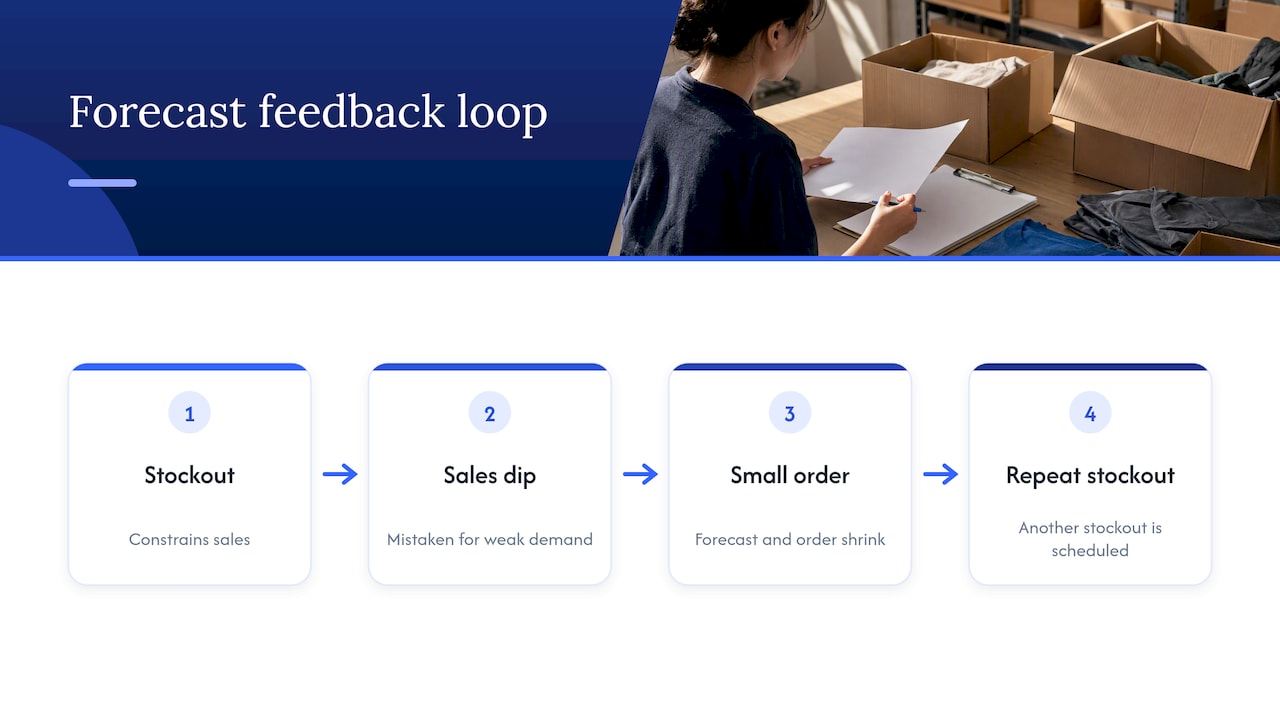
This one is easy to miss. A stockout depresses sales, and depressed sales feed into the next forecast. If the planner reads the dip as weak demand, the next purchase order is too small, and the next stockout is already scheduled. Good forecasting separates constrained sales (what you sold because you ran out) from true demand (what shoppers wanted). Our piece on weeks of inventory and forecastability goes deeper on how to keep cover targets honest.
The recovery bill
Rebuilding rank is paid for in advertising and margin. Teams typically raise sponsored bids to regain velocity, run a coupon or discount to lift conversion and sometimes accept lower margin for weeks. That spend is a direct, if rarely itemized, cost of the stockout. When you evaluate a stockout, add it to the lost sales rather than leaving it in the marketing line.
Before the stockout: how to protect your ranking
Prevention is cheaper than recovery on every platform. These are the habits we would put in place first.
- Forecast at the SKU and node level. A blended forecast hides the one hero ASIN that will run out on its own timeline. See how forecasting and retail readiness fits into daily operations.
- Set cover targets by role. Hero products that carry your category rank deserve more buffer than long-tail items. An Amazon community manager has suggested keeping four to eight weeks of supply on hand. Treat that as a starting range, then adjust for lead time, variability and season.
- Build lead-time variance into the plan. Most stockouts come from supply delays and underestimated demand spikes, not from a plan that was wrong on average.
- Align promotions with inventory. Never schedule a deal, a lightning promotion or a big ad push without confirming that stock and inbound shipments cover the expected lift. Advertising into a thin position is how a good week becomes a stockout.
- Use available platform tools. The same Amazon community answer points to the In-Stock Head Start feature, which can help maintain visibility while shipments are in transit. Check Seller Central for current eligibility and terms before relying on it.
- Keep operations reading the same numbers as advertising. Ad teams and supply teams often work from different dashboards. Our inventory management guide for ecommerce growth covers how to bring them together.
During the stockout: limit the damage
Sometimes it happens anyway. What you do in the first 48 hours shapes recovery.
- Pause or redirect ad spend. Spend sent to an item that cannot sell is wasted, and ad delivery on unavailable items generally stops anyway. Move budget to in-stock siblings or to defending branded terms.
- Shift traffic to substitutes. If you have a variation, a different pack size or a close sibling product, point your sponsored and external traffic there so shoppers do not land on a dead end.
- Protect the listing. Do not rewrite titles or bullets, change the main image or touch variation structure while you are out, unless you have to. Adding changes to a fragile listing complicates the recovery picture.
- Expedite the restock. Weigh the freight premium against the recovery bill described above. For a hero SKU, faster inbound is often the better trade.
- Keep owned channels working. On a D2C store, use a back-in-stock signup and keep email and paid social aimed at products you can fill.
- Log the event. Record the start date, end date, units lost, rank before, and the ad spend that follows. This becomes the evidence for your next buffer decision.
After the restock: rebuilding visibility
The moment inventory is live is the start of recovery work, not the end.
Confirm the listing is actually live and healthy
Check that the item is active, published (especially on Walmart), eligible for the Buy Box, and showing an accurate delivery promise. Verify that ads have resumed serving, since paused campaigns will not restart themselves in every setup.
Plan a relaunch, not a quiet return
Community guidance from Amazon sellers describes recovery as a matter of steady, sustained performance, consistent ads and patience, and it can take months in competitive categories. A practical relaunch plan usually has these parts:
- Raise bids on proven, high-intent keywords for the first stretch so impressions and clicks return quickly.
- Use a time-limited coupon or deal to lift conversion, and make sure you hold enough stock to support it.
- Point external traffic, email and social to the listing to rebuild velocity from outside the marketplace.
- Review listing quality at the same moment. A tighter title, stronger images and clearer A+ content raise conversion, which helps rank climb faster. Our listing optimization checklist is a good place to audit.
Measure recovery against a pre-stockout baseline
A useful recovery dashboard connects stock status with search rankings, Buy Box ownership and ad performance, along with stockout frequency and duration. Industry monitoring guides note that stockouts often go undetected in standard weekly reports and only surface when stock data sits next to rank and ad data. Set a baseline for each hero ASIN, then track these on a daily basis for the first few weeks:
- Organic rank for your top five to ten keywords
- Best Seller Rank in the main subcategory
- Buy Box ownership percentage
- Unit session percentage (conversion)
- Ad spend, ACoS or TACoS against the pre-stockout level
- Days of cover now remaining
Declare the recovery finished only when rank, conversion and ad efficiency are all back near baseline, not when units are on the shelf.
Perspective
Most brands we meet treat a stockout as a supply chain issue that the marketplace team finds out about afterward. We see it the other way around. The stockout is a ranking and profit event, and the marketplace data usually shows the warning signs days before the shelf is empty.
That is why we built stock status into the same view as rank, conversion and ad performance in our iDerive analytics platform. When a planner, an Amazon manager and a media buyer look at one set of numbers, a thin position gets caught while there is still time to slow ad spend, move budget to in-stock siblings or expedite a shipment.
We also believe in profit-first advertising. Pushing spend into a listing that is about to run out is the fastest way to turn a strong week into a weak month. We would rather hold back ads to protect rank and margin, then relaunch with a plan when the product is back.
Our approach is to treat inventory, creative and advertising as one operating system. That is the reasoning behind full-funnel management across Amazon, Walmart and owned sites, and it is how we try to help brands spend less time in recovery mode.
Dan Katona
Where Nectar fits
If stockouts keep resetting your rank, the fix usually sits across several teams: forecasting, operations, advertising and content. We manage those pieces together for mid-market and enterprise brands selling on Amazon, Walmart and owned D2C sites.
Our Amazon Growth & Optimization team can audit your hero ASINs for cover risk, build a relaunch plan for recently recovered listings and align sponsored ads with real inventory position.

If you want to see how inventory, rank and ad data look in one place, explore the iDerive analytics platform, or talk to our team about your catalog.
Search visibility basics that speed up recovery
Recovery is faster when the listing converts well and is easy for the algorithm to understand. Three areas are worth a pass during any restock:
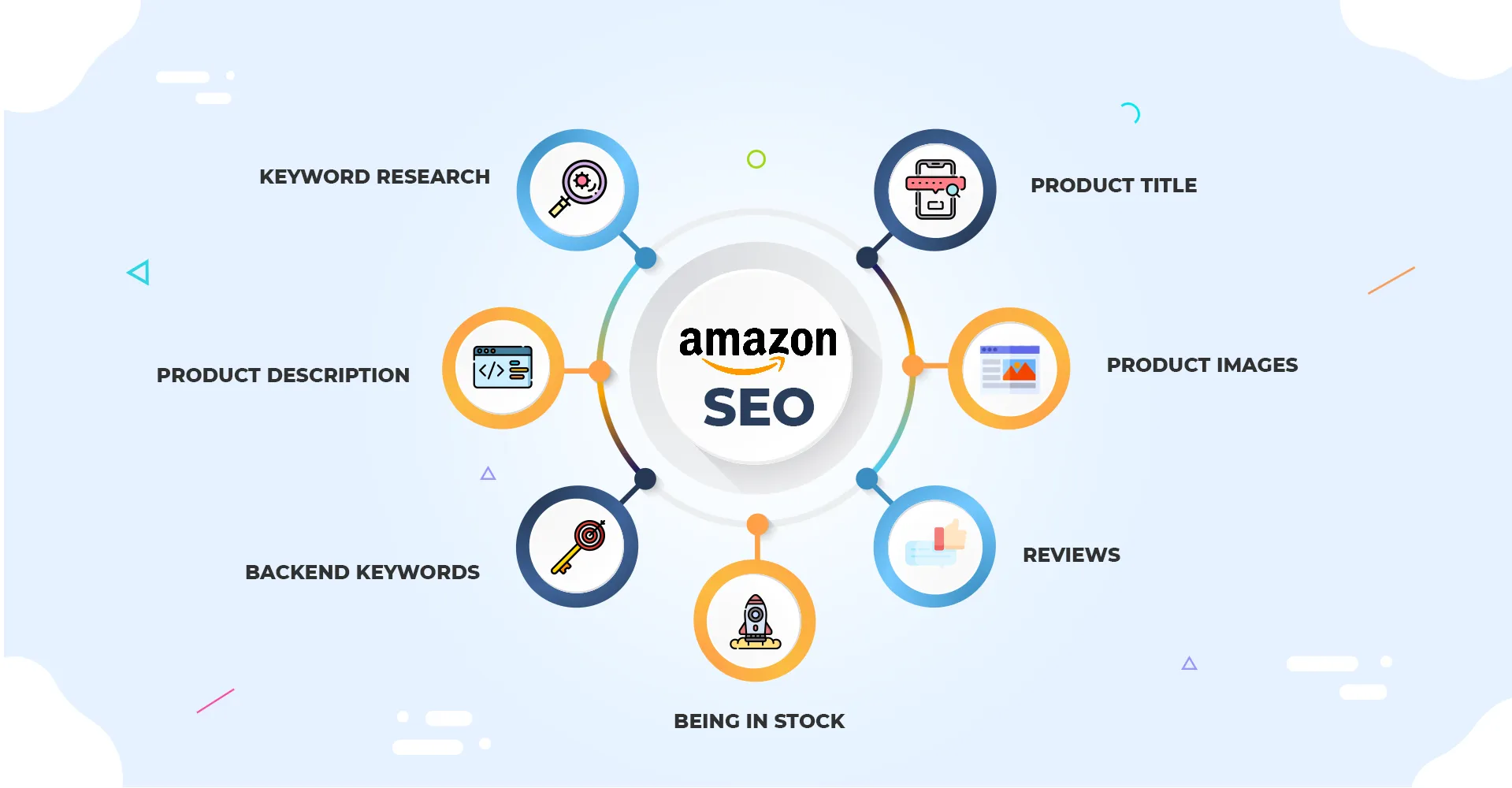
- Indexing and keywords. Confirm your primary terms are still in the title, bullets and backend fields. Our guides on Amazon search terms and what Amazon SEO is explain how those fields work.
- Content quality. Strong images, video and A+ modules raise conversion, which is the signal you most need to rebuild. Our creative and content production team builds these assets in-house.
- Enterprise-level SEO strategy. For larger catalogs, we cover prioritization in Amazon SEO for enterprise brands.
FAQ
Does going out of stock hurt my Amazon ranking permanently?
Not necessarily permanently, but the effect can outlast the stockout. Amazon community guidance says reduced visibility can persist after restocking, and recovery in competitive categories can take months. Short gaps on listings with deep sales history usually recover faster than long gaps on newer listings.
Do out-of-stock items show up in Walmart search?
According to Walmart’s developer documentation for its catalog item search, the API returns only published items, and out-of-stock items are among those considered unpublished. That means they do not appear in those results. After restocking, confirm the item is published and that your inventory feed is accurate.
How long does it take to recover rank after a stockout?
There is no fixed number. One published Amazon case study showed a 22-day stockout followed by 18 more days of heavy PPC and discounting to return to the earlier position. Your timeline depends on category competition, stockout length, sales history and how well the listing converts.
Should I keep running ads while I am out of stock?
Generally no. Ad delivery on unavailable items typically stops, and any traffic you do pay for lands on a product that cannot be bought. Shift budget to in-stock siblings or branded defense, then relaunch ads at restock.
How much inventory should I hold to avoid a stockout?
An Amazon community manager has suggested four to eight weeks of supply as a general range. Your own number should reflect supplier lead time, demand variability, seasonality and how important the SKU is to your category rank.
Sources
- Item search for the Walmart catalog, Walmart Developer Portal
- Lost Organic Ranking After a Week Out of Stock, Amazon Seller Central forums
- How To Ramp Up More Sales (again), Amazon Seller Central forums
- Case Study: Q4 Stockout Lessons and a Better Reorder System, AmazonFBA.org
- Disclosing Low Product Availability, Management Science (INFORMS)
- A Comprehensive Guide to Retail Out-of-Stock Reduction in the Fast-Moving Consumer Goods Industry, NACDS
Recommended