Shopify checkout abandonment happens when a shopper starts checkout, gives you contact details, and leaves without paying. You can reduce it by removing friction (surprise costs, forced accounts, slow or confusing steps), and you can recover part of it with automated emails that send shoppers back to the exact checkout they left. This guide covers how Shopify defines and reports abandonment, how to find your own causes, which fixes to make first, and how to measure results.
TL;DR
- Shopify flags a checkout as abandoned only after the shopper has entered contact information. Many lost carts never show up in your report.
- Most abandonment traces back to usability and cost clarity: forced accounts, unclear totals and extra steps.
- Fix the checkout first, then layer recovery emails on top. Recovery cannot repair a checkout that pushes people away.
- Measure with the Abandoned checkouts emails report and your analytics, and keep every email CAN-SPAM compliant.
- Enterprise stores gain the most from clean event tracking, so you can see where in the flow shoppers drop.
What Shopify counts as an abandoned checkout
Two terms get mixed up constantly: abandoned cart and abandoned checkout.
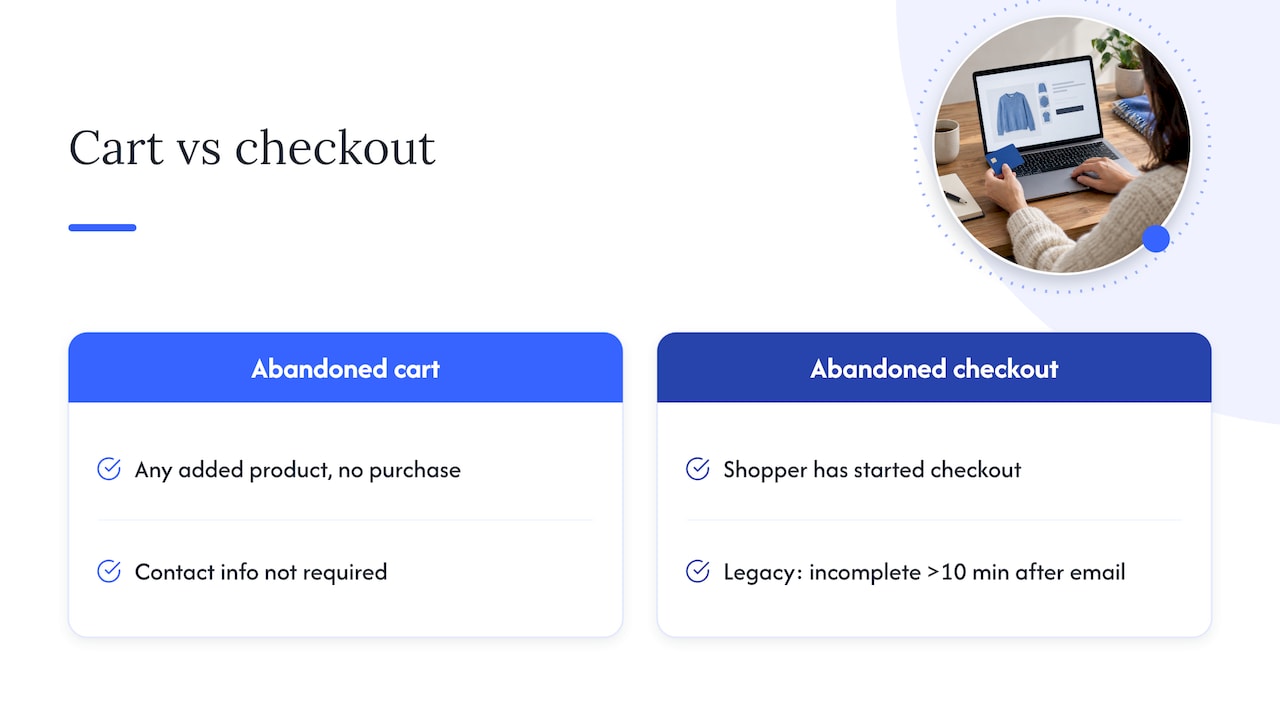
An abandoned cart is the broader term. It covers any product added to a cart that never turns into a purchase, whether or not the shopper gave contact information. An abandoned checkout is a subset of that group: the shopper moved far enough to start checkout.
In Shopify’s legacy abandoned-checkout experience, a checkout counts as abandoned if it stays incomplete for more than ten minutes after the customer provides email information. That detail matters for how you read your numbers.
Why some checkouts never appear in your report
If a shopper reaches checkout and leaves before entering any details, Shopify has nothing to tie the session to. A checkout may not appear if the shopper leaves before entering customer information, or before moving to the next step after entering it. So the abandoned checkouts list understates the real drop-off, and it skews toward shoppers who were already fairly committed.
There is a second blind spot. Shoppers with a question sometimes pick up the phone rather than silently leaving, and those lost sales never appear in digital abandonment reports. If your customer service team hears the same pre-purchase question again and again, treat it as a checkout signal.
Where to find abandoned checkouts
In Shopify admin, open Orders, then Abandoned checkouts. You can review each abandoned checkout there and see what was in it. For a high-volume store, the list is a sample of intent, not a full diagnosis. Use it to spot patterns: which products, which shipping destinations, which order sizes.
Why shoppers abandon at checkout
The Baymard Institute, which studies checkout usability, argues that abandonment is largely driven by usability problems such as forced account creation and unclear total costs. Its position is that data-backed design changes are the way to bring those rates down.
In practice, the causes cluster into five groups:
- Cost surprises. Shipping, taxes or fees appear late and change the total the shopper had in mind.
- Friction. Forced account creation, long forms, too many steps, or fields that reject valid input.
- Trust. Unfamiliar brand, unclear return policy, or a payment page that feels off.
- Payment problems. The shopper’s preferred method is missing, or a card fails and there is no clear path forward.
- Performance and errors. Slow loads on mobile, broken discount code fields, or a page that times out.
Not every abandonment is a failure. Some shoppers were comparing prices or saving an item for later. That is why you segment by cause before you start changing things.
How to find your store’s main causes
Guessing wastes time on a store with real volume. A short diagnostic works better:
- Pull the funnel by step. In your analytics, compare sessions at cart, checkout start, contact info, shipping, payment and purchase. The biggest step-to-step drop is where you start. Our guide to Shopify GA4 tracking for enterprise stores covers event setup and QA so those steps are measured correctly.
- Split by device. A mobile drop at the payment step points to a different fix than a desktop drop at shipping.
- Split by traffic source and new versus returning. Paid social visitors often behave differently from email subscribers.
- Read the abandoned checkout list. Look for shared traits: one shipping region, one product, or a high cart value.
- Ask customer service. Collect the questions people raise before buying. Shipping times, returns and sizing are common themes.
- Run a session replay or usability pass. Watch real checkouts on your own phone, with a real card, in a real shipping region.
Write the findings down as hypotheses, each with an expected effect, so you can test one change at a time.
Fixes that reduce checkout abandonment
Start with the fixes that remove reasons to leave. Work down the list in order of how many shoppers each one touches.
Show the full cost early
A common complaint is the total changing at the last step. Put shipping thresholds and estimated delivery on the product page and in the cart. If you offer free shipping above a set order value, show progress toward it. If you ship to several countries, make duties and taxes clear before payment so the final number never feels like a trap.
Let shoppers check out as guests
Forced account creation is one of the usability issues Baymard highlights. Offer guest checkout, and offer account creation after the order is placed, when the shopper has a reason to save details.
Shorten the path
Every field you remove is one less place to quit. Remove optional fields such as company name unless you need them. Use address autocomplete. Keep the order summary visible and let shoppers edit quantities without leaving checkout.
Offer the payment methods your buyers expect
Cards alone are rarely enough. Wallets and pay-later options reduce typing, which matters most on mobile. Match what your own customers use, based on your order data, rather than adding every option available.
Make delivery and returns clear
Shoppers hesitate when they cannot tell when an order will arrive or how a return works. State both in plain words near the buy button and again at checkout. If returns are a cost center for you, the reasoning in this playbook on reducing returns in ecommerce shows how better fit and product information before purchase builds confidence at checkout and lowers returns later.
Speed up the page
A checkout that loads slowly on a mid-range phone loses people before they see a single field. Audit third-party scripts and apps that run in checkout, and remove any that do not earn their load time.
Keep checkout customizations current
Many stores customize checkout, and the method has changed over time. If you have older customizations, our walkthrough of the Shopify Checkout Extensibility migration explains the steps for developers and merchants so your checkout stays supported and fast.
Fix the page that sends people to checkout
Checkout abandonment is often a product page problem in disguise. Weak images, vague copy and thin reviews send hesitant shoppers into checkout who were never convinced. The Shopify optimization checklist and our Shopify sales funnel guide cover the stages before checkout.
Recovering abandoned checkouts with email
Once the checkout is clean, recovery messages bring back shoppers who were interested but interrupted.
How Shopify’s recovery feature works
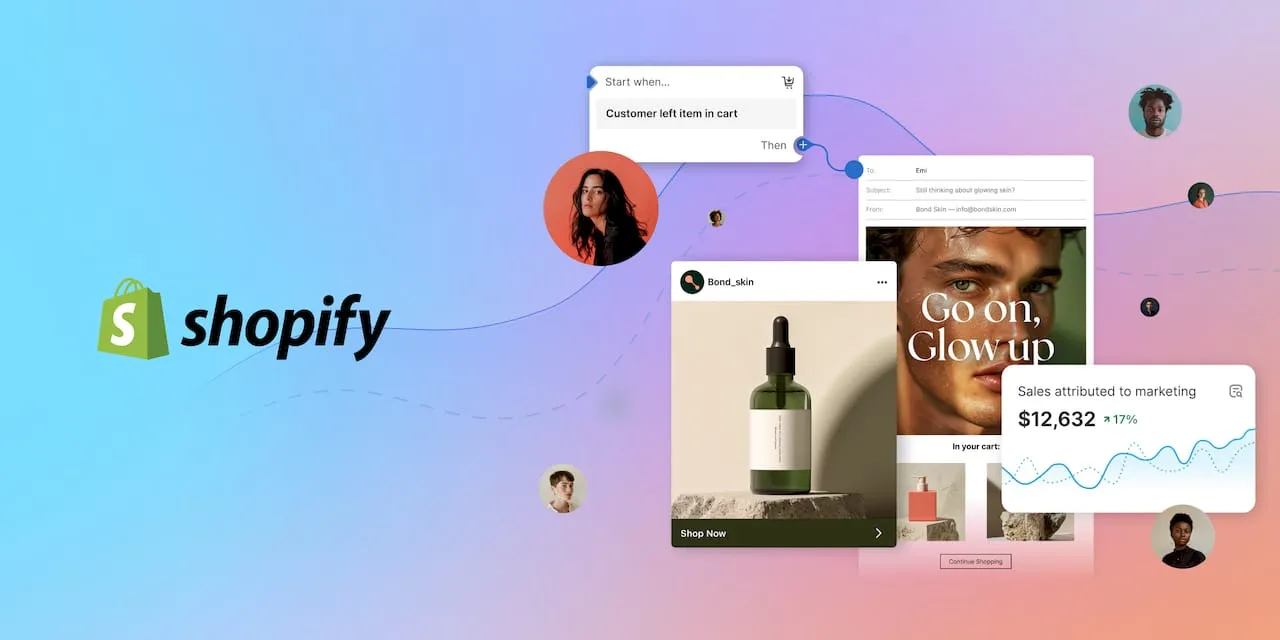
Shopify’s native automation sends a recovery email with a link back to the abandoned checkout after a configurable delay. You edit the settings and the email template in the Shopify Messaging app. That gives you control over timing, subject line, copy and branding.
When Shopify will not send a recovery email
Know the exceptions so you do not mistake them for a bug. According to Shopify, recovery emails are not sent in these situations:
- The sale was completed.
- A payment processing error occurred.
- Shipping is not supported for the address.
- The shopper chose phone-only contact.
- No products are available.
- The checkout is entirely free with no shipping fee.
- Shopify Payments blocked the order as high risk.
If a checkout in your list got no email, check this list first.
What to put in a recovery sequence
A single email is a start. A short sequence usually serves shoppers better, and each message should have a different job:
- A reminder, sent soon after. Show the items, the total and a clear button back to the checkout. Keep it plain.
- A help message. Answer the common objections: shipping time, returns, payment options, support contact.
- A last nudge. If you use incentives, keep them for this step and for the segments that need them, so you do not train every shopper to wait for a discount.
Personalize by cart contents and by new versus returning customer. Where you run a lifecycle platform alongside Shopify, you can build richer flows. Shopify reports that brands using both Shopify and Klaviyo see an average of 62% GMV growth in the 12 months after adopting both, based on its internal data. Treat that as a company-reported average, not a forecast for your store.
For more recovery tactics beyond email, see our guide to cart abandonment recovery techniques.
Keep recovery emails compliant
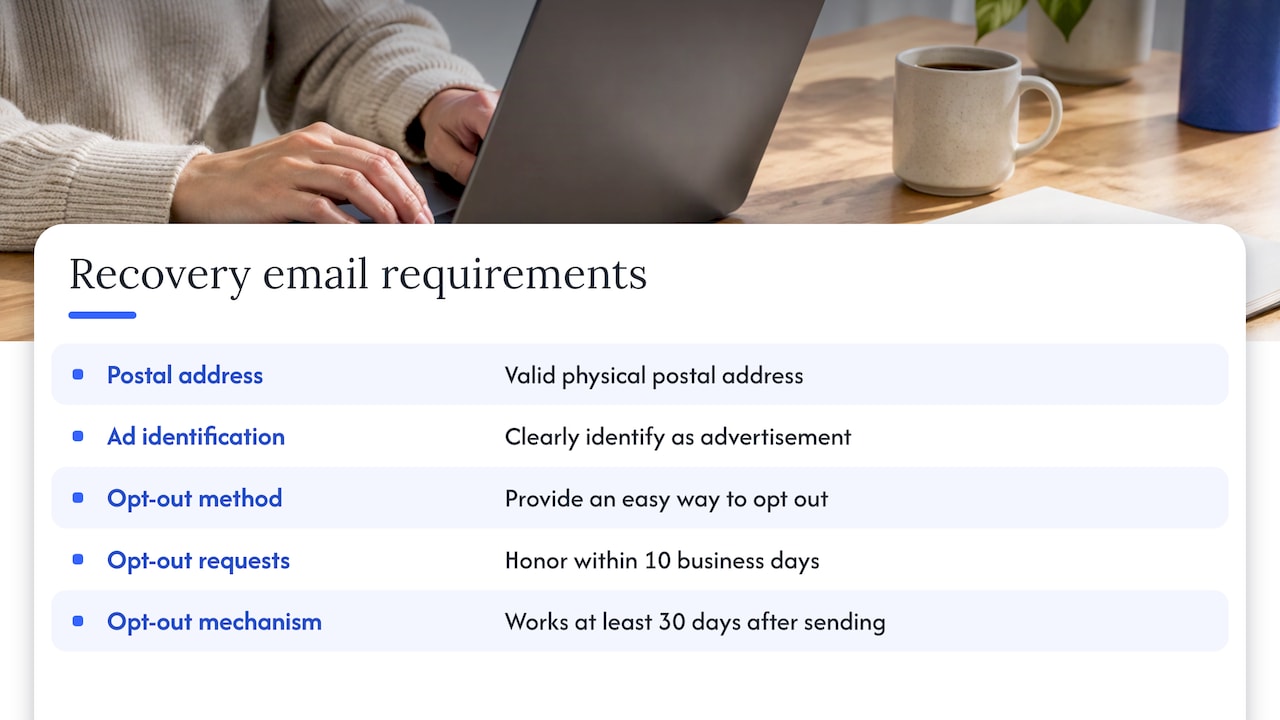
Recovery emails are commercial messages, so US rules apply. The FTC’s CAN-SPAM guidance says commercial email needs a valid physical postal address, clear identification as an advertisement, and an easy way to opt out. The FTC also says opt-out requests must be honored within 10 business days, and the opt-out mechanism must work for at least 30 days after sending. Have your legal or compliance lead review templates, especially if you send through more than one tool.
What to measure
A change is only a win if you can see it. Track these on a regular schedule:
- Checkout completion rate by device, traffic source and step.
- Recovery email performance. The Abandoned checkouts emails report in the Growth section of Shopify shows sessions, conversion rates and completed orders attributed to those messages.
- Revenue per session, not only conversion rate, so a discount that lifts conversion but cuts margin shows up.
- Average order value on recovered orders compared with normal orders.
- Support contacts about checkout topics, which catch the phone blind spot.
Change one thing at a time, give each test enough traffic to be meaningful, and record the result. For enterprise stores, the hard part is usually clean data across channels rather than the fix itself.
Perspective
Most brands we meet treat checkout abandonment as an email problem. They turn on a reminder, see a few recovered orders, and move on. We think that is the smaller half of the work.
The bigger half sits upstream. Shoppers who reach checkout have already been shaped by your ads, your listing or product page, your images and your shipping promise. When that story is inconsistent, checkout is where it breaks. A shopper who clicked an ad promising one price and sees another total two screens later does not need a reminder. They need a reason to trust you.
That is why we work full-funnel. Our creative studio builds the photography, video and page content that set accurate expectations. Our advertising team focuses on profit rather than raw clicks, so spend goes to traffic that completes purchases. And our iDerive analytics platform brings data together in business language, so a brand manager can see where shoppers drop without waiting on a custom report.
If your store sells through Shopify and also through Amazon or Walmart, the same discipline applies across all of them. Clear costs, honest content and reliable measurement lift conversion wherever the shopper lands.
Dan Katona
How Nectar can help
If checkout abandonment is a steady drain on your Shopify store, the fix usually spans design, content, advertising and measurement. We are a fully managed ecommerce agency for mid-market and enterprise brands, and we handle those pieces together. Our Shopify team works on storefront performance and conversion, and our Shopify site design and development service covers the build side. For acquisition and lifecycle work, see our Digital Marketing & DTC Growth offering.

To talk through your checkout data with our team, start at thinknectar.com.
A practical order of work
If you want a sequence to follow, this one fits most stores:
- Confirm tracking is correct at every checkout step.
- Find the biggest drop and its likely cause by device and source.
- Remove cost surprises and forced account creation.
- Shorten forms, add the payment methods your buyers use, and speed up the page.
- Turn on and tune the recovery sequence, with compliant templates.
- Review the Abandoned checkouts emails report and your funnel, then pick the next test.
For a broader view of the store beyond checkout, our Shopify store optimization guide and Shopify store checklist are good next steps. If paid traffic feeds your checkout, the Shopify advertising workflow guide shows how to connect spend to outcomes.
FAQ
How long before Shopify treats a checkout as abandoned?
In Shopify’s legacy experience, a checkout counts as abandoned when it stays incomplete for more than ten minutes after the customer provides email information. The shopper must have entered contact details first. Check your Shopify admin for how your own store’s recovery timing is set.
Where do I find abandoned checkouts in Shopify?
Open Shopify admin, go to Orders, then Abandoned checkouts. You can review each entry and see the items involved. Checkouts without customer information do not appear there.
Why did a customer not get my recovery email?
Shopify skips recovery emails in several cases, including a completed sale, a payment processing error, unsupported shipping, phone-only contact, no available products, an all-free checkout and high-risk Shopify Payments blocks. Check that list first, then review your Messaging app settings.
What is the difference between cart and checkout abandonment?
Cart abandonment covers any product added without a purchase, with or without contact details. Checkout abandonment is the narrower case in which the shopper started checkout. Tracking both shows whether your problem sits before or inside checkout.
Do abandoned checkout emails have to follow CAN-SPAM?
They are commercial messages, so yes. Include a valid physical address, identify the message as an ad, and give an easy opt-out that you honor within 10 business days. Ask your legal team to review the templates.
Sources
- Shopify Help Center: Recovering abandoned checkouts
- Shopify: How to reduce shopping cart abandonment
- Shopify Community: Reached checkout but not showing up under abandon checkout
- Ringly: How to read your Shopify abandoned cart report
- Baymard Institute: How to reduce cart abandonment
- Shopify: Checkout optimization guide
- FTC: CAN-SPAM Act compliance guide for business
- ClothME: How to reduce returns in ecommerce
Recommended