Walmart content score measures how complete and accurate your product detail page content is, and it is one piece of the broader Listing Quality score Walmart uses to decide how your items show up in search. A low content score can quietly cap your visibility, conversion, and eligibility for Pro Seller benefits. The first move is practical: open the Listing Quality dashboard in Seller Center and start with the highest-impact items in “Fix issues.”
TL;DR:
- Improving backend attributes and images should be prioritized over copy edits, as they have a faster impact on search visibility and content score.
- Regularly checking both item-level and catalog-level scores helps identify isolated issues and systemic problems affecting overall search performance.
- Fixing common problems like blurry images, misclassified product types, or incomplete variant fields can typically raise scores within an hour per SKU.
- Using bulk editing tools and APIs enables efficient updates across large catalogs, saving time and reducing repetitive mistakes.
- Enhancing content score boosts search ranking and conversion rates, but results depend on ongoing monitoring of impressions, clicks, and sales after fixes.
How contentScore fits into the Listing Quality Score
Walmart’s Listing Quality framework rolls up five components into a single 0 to 100 score: content, discoverability, offer, ratings and reviews, and whether the item is published and in stock, according to Walmart’s own Listing Quality documentation. ContentScore is the piece that grades your product detail page itself: titles, images, descriptions, and backend attributes. It does not stand alone. A strong contentScore paired with a weak offer score or missing stock status still drags down your overall listingQuality number.

Walmart provides scores at two levels. The catalog-level score tells you how your whole assortment performs on average, useful for spotting systemic problems like a vendor feed that consistently skips bullet points. The item-level score isolates one SKU, which is what you need when you are triaging specific listings for fixes. Sellers managing a few hundred SKUs or a few thousand should check both views regularly, since a healthy catalog average can still hide a cluster of poorly scored items dragging down category performance.
Improving contentScore is not just a compliance exercise. Walmart’s documentation ties Listing Quality to how items surface in search and browse, and a thin or inaccurate product page also tends to convert worse once a shopper lands on it. Fixing content issues addresses both problems at once: it helps the item get found, and it helps the item sell once it is found.
Exactly which content fields and backend attributes count
Walmart’s contentScore evaluates two categories of information: what shoppers see on the page, and what the algorithm reads behind the scenes.
The customer-facing fields are the ones most sellers already know: item name (title), key features (bullet points), short and long descriptions, and images or rich media. Marketplace Learn’s product detail page guidance states that these elements determine how an item appears in search results and requires that the information be accurate, since any AI-generated content also has to be truthful and not misleading.
The backend attributes matter just as much, even though shoppers never see them directly. These include product type, category mapping, and variant fields like size, color, and material, along with identifiers such as UPC or GTIN. A mismatched product type or an incomplete color attribute does not just lower contentScore. It can keep the item out of relevant search filters and category pages entirely, which is a bigger problem than a weak title.
Before touching copy, check these backend items first:
- Confirm the product type matches what the item actually is, not a broad default category.
- Verify every applicable variant attribute (size, color, material, pattern) is filled in, not left blank.
- Check that UPC or GTIN values are valid and match the physical product.
- Review category mapping to confirm the item lives in the most specific applicable node.
Misclassified items are easy to miss because the item name and images can look fine while the backend data quietly tells Walmart’s system the product belongs somewhere else. That mismatch is often the single biggest reason a seemingly well-written listing still scores poorly.
Where to find contentScore and Listing Quality metrics
Seller Center’s Listing Quality & Rewards dashboard is the main place to monitor contentScore. It offers both an item view and a catalog view, and the “Fix issues” tool flags specific, actionable gaps rather than just a raw number, per Walmart’s Listing Quality page. The Marketplace Learn dashboard guide notes that some content fields are locked to brand owners or authorized resellers, so a reseller account may see issues it cannot fix directly and needs to flag to the brand.
For sellers managing large catalogs, the Bulk Attribute Editor is the practical path forward. Rather than opening each SKU one at a time, you can update attributes across hundreds of items in a single feed, which matters when a single missing field (like a material attribute) is repeated across an entire product family.
Teams with development resources can go a layer deeper through the Walmart Developer API for listing quality. The endpoint returns listingQuality, contentScore, and offerScore as numeric fields on a 0 to 100 scale, at both item and catalog level. That API access is most useful when you want to pull scores into your own reporting system rather than checking the dashboard manually, or when you want to trigger automated alerts the moment a SKU’s score drops below a set threshold.
Common content problems and step-by-step fixes
Most low content scores trace back to a small set of repeatable mistakes, and most of them are fixable in under an hour per SKU once you know what to look for.
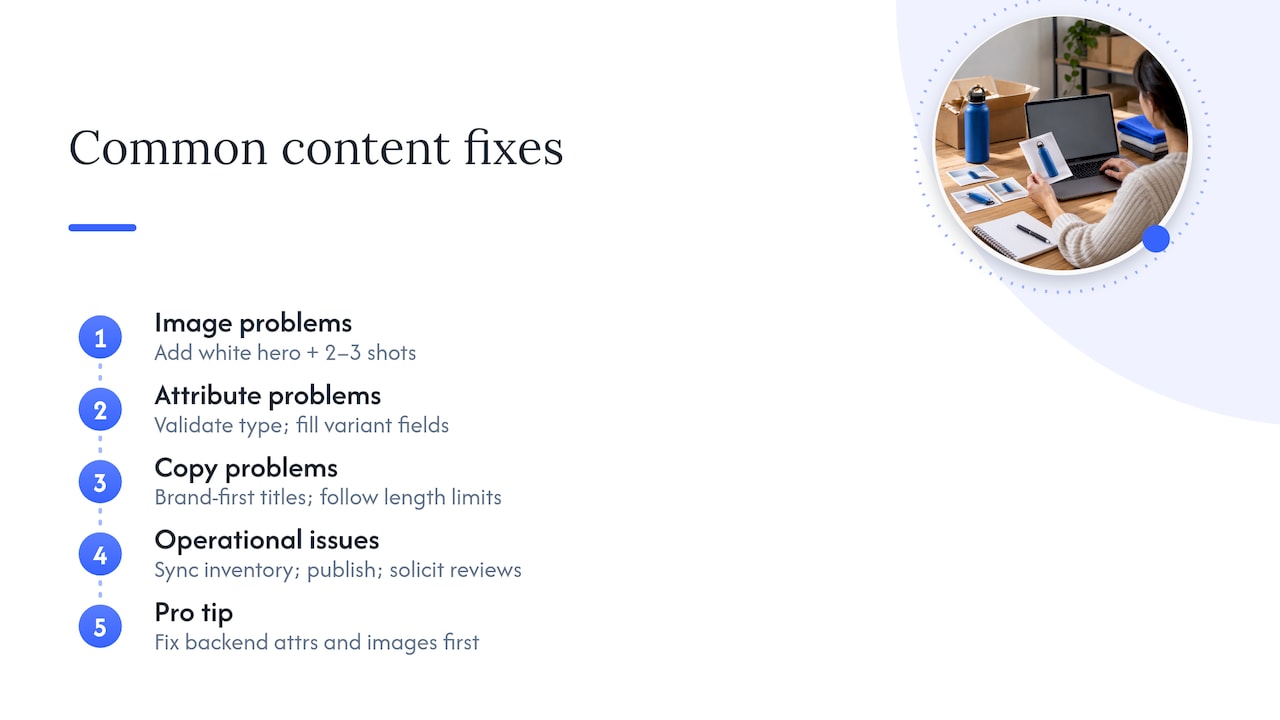
Image problems are the most common and often the most damaging. Marketplace Learn’s image guidelines call for a minimum image count, often four, along with specific resolution and zoom requirements. An item with only one low-resolution photo is an easy target for a content-quality penalty. Fix it by shooting or sourcing a full image set: a clean white-background hero shot, at least two to three lifestyle or detail angles, and verification that zoom resolution meets Walmart’s stated minimums before you upload.
Attribute problems show up as missing or mismatched fields. Validate the product type against the actual item, fill every applicable variant attribute, and recheck category mapping. A misclassified item can look complete to a human reviewer and still score poorly because the system cannot match it to the right search filters.
Copy problems are usually smaller in impact but still worth fixing. Titles should lead with the brand and product type, stay within Walmart’s length guidance, and avoid keyword stuffing. Key features need to stay within character limits and describe real product attributes, not marketing claims. Walmart’s Product Content policy warns that prohibited content, including external URLs, promotional language, and competitor claims, can get a listing removed entirely, not just scored lower.
Operational issues round out the list. An item that is out of stock or unpublished drags down the broader Listing Quality score even if its content is flawless, and a thin ratings and reviews history affects a separate component that content fixes alone will not solve. Keeping inventory synced and encouraging legitimate post-purchase reviews supports the score from a different angle than content work does.
Pro Tip: Fix backend attributes and images before touching copy. They tend to move the score and the search match faster than rewriting a description ever will.
Prioritized workflow to raise contentScore
Raising contentScore across a catalog works best as a repeatable weekly process, not a one-time cleanup.
- Triage with “Fix issues.” Open the Listing Quality dashboard, sort flagged items by potential score impact, and separate quick wins (a missing attribute) from larger jobs (a full reshoot).
- Work the single-item checklist. For each priority SKU, confirm the title follows naming conventions, rewrite key features if they are vague or too short, add or replace images that fail resolution or count requirements, validate every backend attribute, and republish.
- Batch the rest with bulk tools. For attribute gaps that repeat across a product family, such as a missing material field across twenty color variants, use the Bulk Attribute Editor or a bulk feed rather than editing items one by one. Pull a sample of five to ten updated SKUs before pushing the full batch live and confirm the data landed correctly.
- Verify and monitor weekly. After changes process, recheck the item and catalog-level listingQuality scores, and watch impressions, click-through rate, and conversion rate for the updated SKUs over the following one to two weeks. Treat any score that does not move as a sign the underlying issue was not actually fixed.
Pro Tip: Keep a running log of what you changed on each SKU and when. When a score moves, you want to know which fix caused it instead of guessing.
This loop matters more than any single fix. Walmart’s catalog and search systems reindex content on their own schedule, and a score that looks unchanged a day after an edit often just needs more time, not another round of changes.
How contentScore links to Pro Seller thresholds and business outcomes
The Pro Seller program page lists content quality score as one of the measurable thresholds required to reach Rising, Advanced, or Pro tiers, alongside other operational metrics. Meeting those thresholds unlocks program benefits, including referral fee discounts tied to tier status.
Beyond the badge itself, the business case for content work is direct: better content tends to improve search visibility and often lifts conversion once a shopper reaches the page. After making content updates, track impressions, click-through rate, conversion rate, and buy box win rate for the affected SKUs. These four numbers together tell you whether a content fix actually worked or whether the item needs a different kind of attention, such as a pricing or shipping adjustment instead.
Nectar’s approach: data-first optimization at scale
Nectar treats contentScore improvements as a prioritization problem, not a checklist to clear in order. The iDerive analytics platform ranks attribute and image fixes by expected revenue impact, so a creative team spends its time on the SKUs that move sales, not just the ones with the lowest raw score.
That prioritization pairs with in-house production capacity built for marketplace requirements:
- Product photography and video shot to meet Walmart’s image count and zoom resolution standards.
- Bulk content operations for brands managing catalogs too large to fix one SKU at a time.
- Backend attribute audits that catch misclassification before it limits search visibility.
- Full-funnel reporting that connects content changes to impressions, conversion, and sales.
The Full Creative Studio handles the production side, while iDerive handles the measurement side, which keeps both functions working from the same revenue data instead of separate spreadsheets.
Where to focus when resources are limited
Backend attributes and images do more for visibility than another round of copy edits, and most teams spend their time backward. If you only have a few hours a week, spend them validating product type, filling variant fields, and fixing image sets before touching titles or bullets.
Treat the Listing Quality dashboard like any other operational metric: check it weekly, not quarterly. Bring in outside help once the catalog is large enough, or the creative demands are heavy enough, that consistent weekly fixes stop happening in-house.
— Dan Katona
Nectar services for Walmart listing optimization
Fixing contentScore across a catalog of a few dozen SKUs is manageable in-house. Doing it across a few thousand, with consistent image standards and attribute accuracy, usually is not, which is why brands bring in a managed team instead of hiring and training one internally.

Nectar’s relevant services for this work include:
- Creative & Content Production for images, video, and PDP media built to Walmart’s requirements.
- Marketplace Expansion & Management for ongoing catalog operations and attribute accuracy at scale.
- iDerive Analytics Platform for unified reporting that ties content changes to revenue outcomes.
- Retail Media Advertising support for brands that want ad performance and content work managed together.
Brands that prefer a managed-service option can request a Walmart listing audit to see where contentScore gaps are costing visibility today.
Sources
The mechanics in this guide come directly from Walmart’s own documentation. The Listing Quality page covers how the overall score is built and how Fix Issues and Bulk Attribute Editor work. Marketplace Learn’s product detail page guide and its companion image guidelines page spell out content standards field by field. The Pro Seller program page lists the tier thresholds tied to content quality, and the Walmart Developer API docs detail the listingQuality, contentScore, and offerScore fields for teams building their own reporting. For analytics approaches beyond Walmart’s own tools, Affinsy’s marketplace analytics guide covers broader measurement frameworks worth reviewing.
FAQ
What is the 10 ft rule at Walmart?
The “10 foot rule” is a retail merchandising concept, not a Walmart Marketplace content policy, and it refers to whether a shopper can identify a product from about ten feet away in a physical store. It has no defined connection to Walmart’s online contentScore or Listing Quality metrics.
Who is bigger, Amazon or Walmart?
Amazon and Walmart rank among the largest retailers in the United States, with Walmart historically leading in total revenue due to its physical store footprint, while Amazon leads in ecommerce-specific sales. Exact current rankings shift with quarterly earnings, so sellers should check each company’s own investor reporting for up-to-date figures.
What is Walmart’s current credit rating?
Credit ratings for Walmart are issued and updated periodically by agencies such as Standard & Poor’s and Moody’s, and the specific current rating is not publicly listed in Walmart’s seller or marketplace documentation. Sellers researching this should check the ratings agencies’ own published reports directly.
What is Walmart’s biggest weakness?
This question falls outside Walmart Marketplace seller documentation and contentScore mechanics, which is the focus of this guide. For analysis of Walmart’s broader business challenges, retail industry publications and investor reports are the more reliable sources.
How often does Walmart update contentScore after I make changes?
Walmart’s documentation does not publish an exact refresh interval, so sellers should expect a short delay rather than an instant update after editing a listing. Checking the Listing Quality dashboard a few days after changes, rather than immediately, gives a more accurate read on whether a fix worked.
Recommended















.png)