Buy Box suppression almost always traces back to one of two things: a Competitive External Price Amazon found somewhere off its own site, or a change to your own offer on Amazon that made you look worse than you did an hour ago. If you’re staring at “See all buying options” instead of an Add to Cart button right now, your first move is not to panic and slash prices. It’s to open Pricing > Pricing Health in Seller Central, screenshot the Competitive External Price Amazon is citing, and put a bounded Automate Pricing rule (or a manual, margin-checked temporary price) in place while you build your case.
Treat the next few hours as an evidence-gathering window, not a fire sale.
- Screenshot the Pricing Health dashboard the moment you notice suppression, including any external URL Amazon references.
- Set a repricing rule with a hard minimum margin floor before you touch your price manually.
- Check whether other ASINs in your catalog lost the Buy Box at the same time. That pattern points to an account-level flag, not a pricing issue.
- Reallocate ad spend away from the suppressed listing until eligibility returns, since impressions there are largely wasted.
Move fast on this. Suppression doesn’t sit quietly. Academic tracking of 17,754 products in 2024 found a median suppression length of just six hours, but ad placements can disappear within 12 hours of the trigger event. Short doesn’t mean harmless. A six-hour window during peak shopping hours can wipe out a day’s ad budget efficiency and knock you out of search rank you’ll spend weeks rebuilding.
Key Takeaways
Buy Box suppression usually starts with either an internal Amazon offer change or a Competitive External Price mismatch, and the fix that protects margin requires verifying the source before repricing.
| Point | Details |
|---|---|
| Check Pricing Health first | Screenshot the Competitive External Price and any linked URL before making pricing changes. |
| Internal offers matter most | Amazon’s own offer changes, not just external prices, are the strongest documented suppression trigger. |
| Bound every repricing rule | Set a hard minimum margin floor before activating any Automate Pricing match rule. |
| Build a full evidence bundle | Combine Pricing Health screenshots, external page proof, timestamps, and account health exports for escalation. |
| Consider managed remediation | Nectar uses the iDerive platform to diagnose suppression causes and has driven measurable revenue recovery for brands like Boxie. |
Primary Sources for Action and Deeper Reading
- Georgetown study on Buy Box suppression triggers and effects
- Seller Central forum discussion on pricing-related suppression
- Nectar’s Seller Central management services
What Is Amazon Buy Box Suppression, Exactly?
Buy Box suppression is when Amazon removes the Add to Cart and Buy Now buttons from your listing and replaces them with a “See all buying options” link, even though your offer is active and in stock. This is not a suspension but significantly reduces conversion rates because most shoppers avoid the extra step.
The mechanism behind most pricing-related suppressions is the Competitive External Price. Amazon’s algorithm scans prices for the same product across other sales channels, brand websites, other marketplaces, big-box retailers, and compares that figure against what you’re charging on Amazon. If your Amazon price looks worse to a shopper than a price they could plausibly find elsewhere, Amazon can suppress your offer under its fair pricing policy rather than let you win the Buy Box on a price it considers uncompetitive.
That comparison isn’t always clean:
- Retailer markdowns often exclude shipping costs that Amazon buyers get folded into their total.
- Direct-to-consumer promo codes can create a checkout price that never appears on the product page itself.
- Bulk-only or subscription pricing sometimes gets scraped and misapplied as a single-unit reference price.
The Georgetown research on Buy Box suppression found something that surprises most sellers: changes to offers on Amazon itself, not external competitor prices, are the strongest predictor of suppression. When the last “good” featured offer exits the catalog or raises its price, suppression probability jumps. External pricing matters, but it’s often the second domino, not the first.
What Pricing Situations Actually Trigger Suppression?
Sellers rarely get a clean, single-cause explanation from Amazon, so pattern-matching your situation against known scenarios saves time.
- Your own DTC site is the problem. A site-wide promo code, a clearance sale, or a bundle deal on your Shopify store creates a lower effective price than your Amazon listing. Amazon’s crawler treats that checkout price as the real price, even if your product page still lists full retail.
- A third-party retailer’s markdown looks misleading. A big-box retailer runs a clearance event, but the price shown excludes shipping, or it’s a doorbuster limited to in-store pickup. Amazon’s system sometimes can’t tell the difference between a genuinely lower price and a conditional one, and sellers have documented false matches tied to pickup-only offers being read as shippable prices.
- Authorized distributors or grey-market inventory create a persistent floor. If you sell through wholesale or distribution partners, one distributor undercutting agreed pricing (or unauthorized sellers offloading gray-market units) can hold your external reference price artificially low for weeks, not hours. This is a governance problem more than a pricing glitch, and it needs a distributor-level fix, not a repricer tweak.
- An internal Amazon offer event shifted the baseline. Another seller who was matching or beating your price exits the listing, sells out, or raises their price. Amazon’s algorithm re-evaluates and, per the Georgetown data, that kind of internal offer change is the single strongest suppression trigger in the dataset. This is also the scenario most sellers overlook because they’re busy checking external competitors instead of their own offer history.
Each of these needs a different fix. Treating a distributor problem like a DTC promo problem, or vice versa, wastes your escalation window and often makes Seller Support push back on your case.
How Do You Diagnose Which Cause Applies to You?
Work through this checklist in order. Skipping steps is how sellers end up re-opening the same case three times with incomplete evidence.
- Open Pricing > Pricing Health first. This dashboard shows your Competitive External Price alert and, in most cases, the URL or channel Amazon is referencing. Capture a screenshot with the timestamp visible.
- Verify the external page yourself. Visit that URL directly. Check whether the price includes shipping, requires membership, is pickup-only, or is a bulk/case price being misread as a single-unit price. Screenshot the full checkout flow, not just the product page.
- Pull your offer history. Look at “See all buying options” and recent seller activity on your ASIN. Did a competing seller exit or raise price right before suppression started? This tells you whether you’re looking at an internal offer trigger.
- Check for account-wide impact. If multiple ASINs lost the Buy Box simultaneously, this points toward an account-level flag (verification hold, unresolved complaint, performance issue) rather than a single listing’s pricing problem. Export your account health metrics to confirm.
- Gather channel documentation. If a distributor or authorized reseller appears to be the source, pull invoices, MAP agreements, or MSRP documentation now. You’ll need this for escalation regardless of how the case resolves.
Pro Tip: Screenshot everything the moment you see it, including the exact time. Amazon’s pricing checks run on a rolling basis, and an external price that triggered suppression at 9 a.m. can look completely different by the time a support agent reviews your case at 3 p.m.
How Do You Fix Buy Box Suppression Fast Without Losing Margin?
Speed matters, but a fast fix that destroys your margin is not a fix. Work from the least destructive option first.
- Set a bounded Automate Pricing rule. Configure “Match External Competitive Price” with a hard minimum price floor tied to your actual margin requirements, not your list price. This is a temporary control, not a permanent pricing strategy, and treating it as permanent is how sellers quietly erode profitability over a few months.
- If the low price is on your own DTC site, fix it there first. Pause the promo code, add a clarifying shipping or bundle disclosure, or end the sale early. Document the change with a timestamp; you’ll want it in your escalation evidence to show the discrepancy has been resolved.
- If an unauthorized seller or distributor is the source, build a takedown case. Gather your distributor agreement, MAP policy language, and proof of the unauthorized listing. This goes to Amazon’s Brand Registry or seller performance team, not the general pricing queue.
- Reconsider fulfillment method only after modeling the math. Switching an ASIN from FBA to FBM, or adjusting shipping terms, can change how your landed price compares externally, but only test this if the margin math clearly supports it. Don’t flip fulfillment methods reflexively during a suppression event.
- Pause or redirect ad spend on the suppressed ASIN immediately. Sponsored ads generally won’t deliver on a suppressed listing, so spend sitting there is close to wasted. Redirect it to unaffected SKUs and keep the delivery reports; they become part of your evidence bundle showing measurable revenue impact.
Pro Tip: Before setting any automated price match, run the math on your actual landed cost, including referral fees and fulfillment fees, not just your wholesale cost. A repricer with no margin floor will happily match a price that loses you money on every unit.
How Do You Escalate a Buy Box Suppression Case Successfully?
Front-line Seller Support agents frequently cannot remove an internal eligibility flag even when they agree your evidence is compelling. Seller Central forum threads document this repeatedly: the case gets acknowledged, the agent is sympathetic, and nothing changes because the fix requires an internal pricing or account health team, not the first responder.
- Open one case with everything attached, rather than several partial ones. A single, well-documented case reads as credible. Five scattered messages read as noise, and each new agent starts from zero.
- Explicitly request escalation to the pricing review team if the first response is generic or templated. Reference your Competitive External Price screenshot by name.
- Attach the full evidence bundle: the Pricing Health screenshot, external page screenshots showing shipping or promo exceptions, timestamps on everything, distributor invoices or MSRP proof if relevant, your account health export (ODR, LSR, PFCR), and screenshots showing lost ad delivery.
- Follow up on a set cadence, not randomly. Give the team 2 to 3 business days for a straightforward external-price misread; complex account-level reviews can run 1 to 2 weeks. If you pass those windows with no movement, escalate through Executive Seller Relations with a one-page memo summarizing the timeline and impact.
Pro Tip: Write your evidence memo as if the reviewer has never seen your account before. Lead with the ASIN, the suppression start time, and the specific external price discrepancy in the first two sentences. Agents skim.
How Do You Prevent Buy Box Suppression From Happening Again?
Recovery is reactive. Prevention is where you actually protect margin over the long run, and it starts with treating pricing as something you monitor weekly, not something you notice only after it breaks.
- Run a weekly cross-channel price snapshot covering your DTC site, major retail partners, and any distributor-fed marketplaces, with one person owning the review.
- Write MAP policies and distributor agreements with real enforcement teeth, not just a suggested price. Include monitoring language and a defined consequence for violations.
- Build repricer guardrails before you need them: a minimum margin floor, an exception list of ASINs excluded from automatic matching (new launches, low-margin bundles), and a defined reaction window rather than instant matching.
- Clean up your catalog. Consolidate duplicate offers, fix inaccurate condition or variation attributes, and remove stale listings that confuse Amazon’s price-matching logic.
- Put a monthly checklist in place: Pricing Health review, a report of your most-suppressed ASINs over the past 30 days, and an ad delivery health check tied to those SKUs.
Guardrails like these are what separate a seller who reacts to suppression from one who mostly avoids it, and they pair well with profit margin optimization work you’re likely already doing elsewhere in the business.
Pro Tip: Assign your DTC promotions calendar to the same person who owns Amazon pricing decisions. Most suppression events tied to a brand’s own site happen because marketing launched a sale without telling whoever manages the Amazon account.
How Nectar Helps Brands Recover From and Prevent Suppression
Fixing a single suppressed ASIN is a checklist. Fixing it for a catalog of hundreds of SKUs across multiple marketplaces, while also managing distributor relationships and ad budgets, is an operations problem, and that’s the gap a managed service is built to close.
Nectar approaches Buy Box suppression as a systems issue rather than a one-off ticket. That means:
- Diagnosing root cause using the iDerive analytics platform to separate internal offer changes from genuine external pricing conflicts across a full catalog, not one listing at a time.
- Building and maintaining repricer guardrails and distributor governance so the same suppression trigger doesn’t recur month after month.
- Running evidence-based Seller Support escalation as a standard workflow, not a scramble.
The results speak for themselves. Nectar’s work with Boxie on Amazon Canada drove a 55.4% increase in ordered revenue on just 0.5% more ad spend, largely by fixing visibility and listing issues rather than throwing money at ads. LonoLife saw comparable gains in search visibility once smarter ad allocation and listing corrections replaced reactive firefighting.
What Actually Matters Here
Most advice on Buy Box suppression treats it as a single problem with a single fix: match the price, done. That’s wrong, and it’s the reason so many sellers burn margin unnecessarily. The Georgetown data makes clear that internal offer changes on Amazon, not external competitor pricing, drive most suppression events. Yet nearly every seller’s first instinct is to hunt for a lower price somewhere on the internet, when the real answer might be sitting in their own offer history.
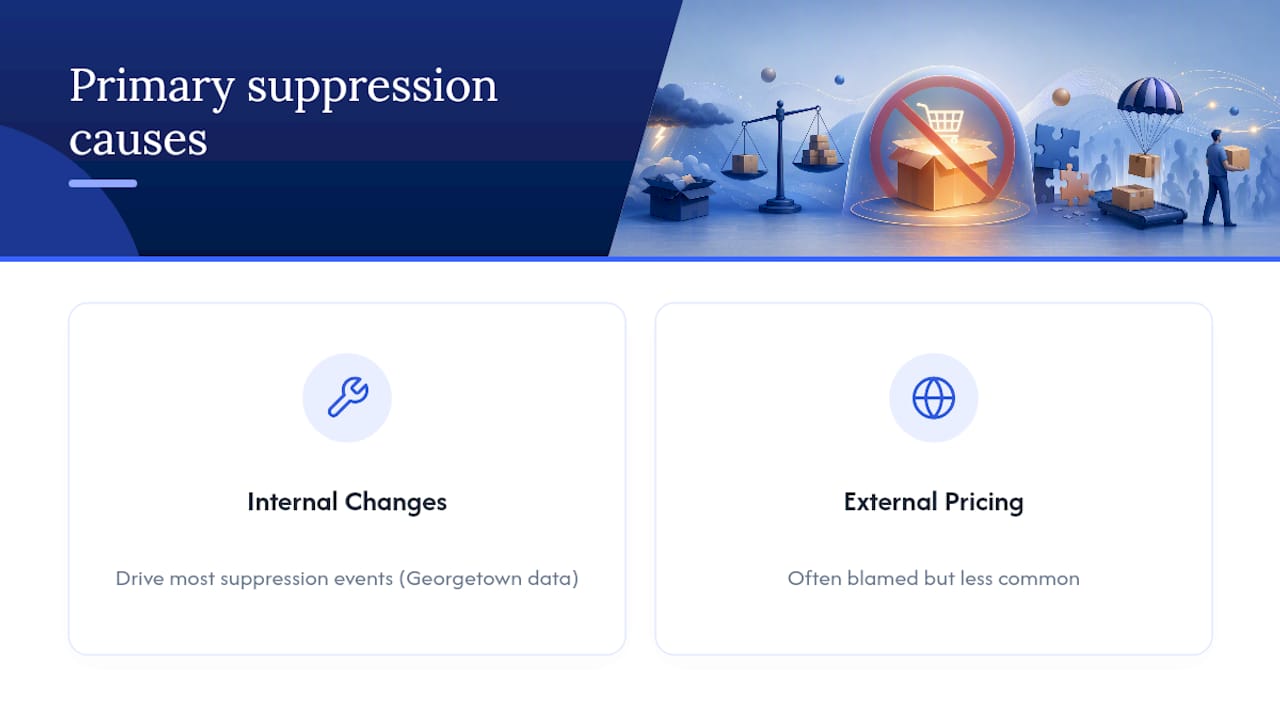
The second thing conventional advice gets wrong is urgency without judgment. Yes, act within hours. But an unconstrained repricer that blindly matches any external price it finds is how a brand owner turns a six-hour suppression event into a permanent margin problem that outlasts the suppression itself.
If you’re a brand owner, the priority order should be: verify the source of the external price (yours, a distributor’s, or unauthorized inventory), apply a bounded fix, then escalate with real documentation. Agencies that pair pricing intelligence with escalation experience, the kind Nectar applies through iDerive, tend to close these loops faster than a solo seller working the support queue alone, mostly because they’ve already seen the pattern before.
— Dan Katona
Get Help Recovering and Protecting Your Buy Box
Nectar is the practical alternative to fighting Buy Box suppression alone through the Seller Support queue. Instead of guessing at repricer settings or waiting days for a generic response, you get a team that diagnoses whether the trigger is internal, DTC-driven, or distributor-related, then builds the pricing guardrails and escalation evidence to fix it and keep it fixed.

That matters most for private label and brand owners managing catalogs too large to monitor listing by listing, where one suppressed hero SKU can quietly cost more in lost ad delivery than a month of agency fees. Nectar’s Amazon Growth & Optimization team handles catalog corrections, margin-aware repricing, and Seller Support escalation as one connected workflow, backed by the iDerive platform for the data behind each decision. If ad delivery on a suppressed listing has already stalled, the Amazon Sponsored Ads management team can reallocate budget while the fix is underway. Reach out through Nectar’s services page to get a catalog review started this week.
Sources
- Determinants and Effects of Buy Box Suppression on Amazon (Gleason, Zhang, Wilson)
- Seller Central forum: Seeking Advice on Buy Box Suppression Due to External Competitive Pricing
Recommended
.png)