Amazon DSP creatives need to hit exact pixel dimensions and file-weight caps: static JPG or PNG-8 files, MP4/H.264 video, and mobile assets exported at 2x resolution with proper safe zones. The single biggest compliance move is submitting assets well before launch, with 2x mobile files, captions on every video, and no prohibited event branding. Skip any of that and you risk a rejection cycle instead of a live campaign.
Nectar
Turn DSP Specs Into Campaign-Ready Creative
Nectar combines in-house creative production with data-driven advertising management for brands selling across Amazon, Walmart, and Shopify.
Amazon DSP Creative Specs at a Glance
Before building anything, get the numbers straight. Here’s what shows up most often across DSP campaigns:
HTML5 tags carry more flexibility on visual complexity but a lower tolerance for third-party serving errors. If you’re running a tag through an outside ad server, confirm it serves from an approved domain before you submit. Static images are still the safer, faster path to approval for most brand teams.
What Are the Exact Display Ad Dimensions and File Weights?
Desktop and web display units follow a fixed set of sizes, and Amazon doesn’t leave much room for interpretation on the numbers. The Medium Rectangle (300x250) remains the workhorse of DSP campaigns, capped at 40kb for static files and 200kb for HTML-served tags. The Leaderboard (728x90) follows identical weight rules and sits at the top of most content pages.
The Wide Skyscraper (160x600) and Large Rectangle (300x600) both give you more vertical canvas for product shots or lifestyle imagery, but the file-weight ceiling stays the same. The Billboard (970x250) is the outlier: onsite Amazon placements require a 1940x500 export at 2x resolution, capped at 200kb, because the unit renders at high density on Amazon’s own pages.
A few production habits will save you rounds of revisions:
Skipping the 2x export on the Billboard unit is one of the most common, and most avoidable, reasons a Billboard creative bounces back from review.
How Do You Handle Mobile Ad Sizes and Safe Zones?
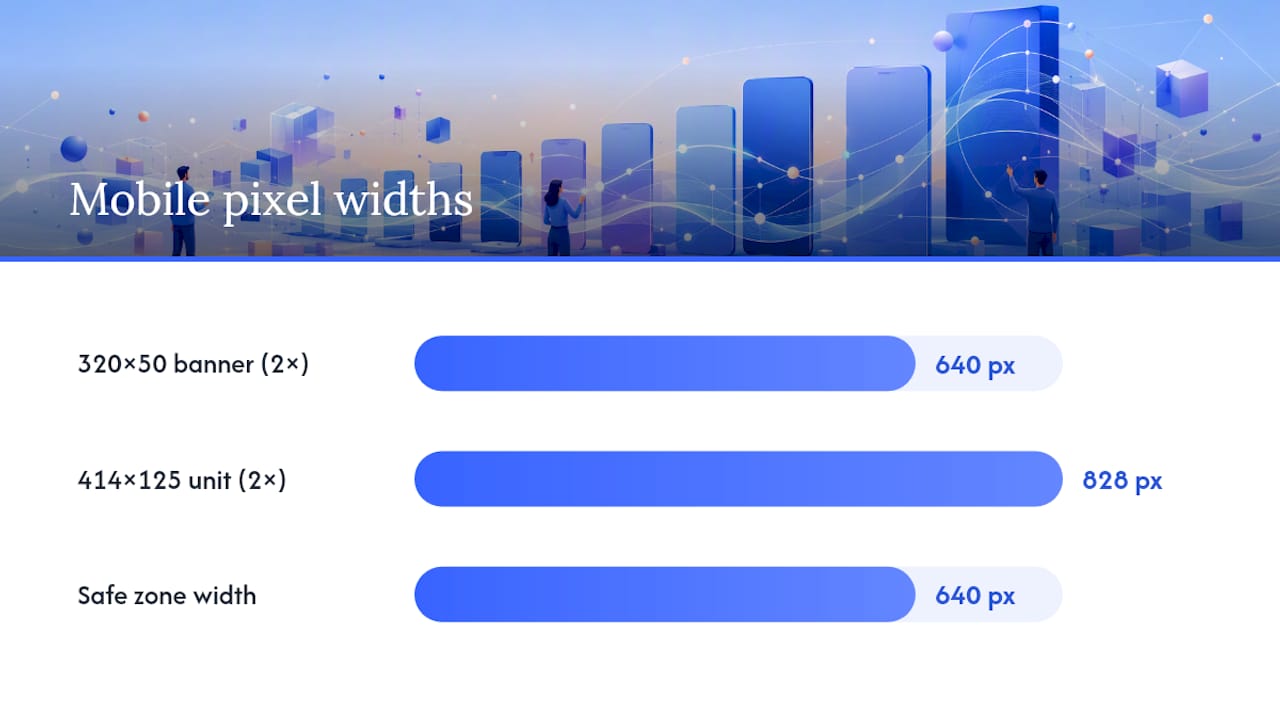
Mobile units run on a different math than desktop. A 320x50 banner needs to be supplied at 640x100 pixels at 2x resolution, with a 50kb static file cap. A 414x125 unit scales up to 828x250 at 2x, with a 640x250 safe zone where your core message and CTA need to live, and a 100kb file cap.
That safe zone matters more than most designers assume. Devices crop and reposition mobile creatives depending on screen size, so anything outside the safe zone risks getting clipped on a smaller phone. A few practical rules:
Mobile units get scrutinized harder during review because small-screen legibility failures are one of the easier violations for automated checks to catch.
What Are the Video Specs for Amazon DSP and Streaming Placements?
Video creative needs to arrive as an MP4 file using H.264 encoding, with a maximum file size around 500MB. Recommended frame rates are 23.976, 24, 25, or 29.97 fps, and duration typically runs 6 to 45 seconds depending on the placement. A 16:9 aspect ratio is the standard for most in-stream and streaming TV inventory.
Captions aren’t optional in any practical sense. Most DSP video placements autoplay muted, so if your message lives entirely in the audio track, you’re losing the viewer in the first two seconds. Burn in captions or supply a clean SRT file, and make sure text contrast holds up against busy backgrounds.
Pro Tip: Treat your last three seconds like their own creative. A weak end card wastes everything the first 40 seconds built, especially on streaming TV where viewers can’t tap through to a product page mid-video.
Why Do Amazon DSP Creatives Get Rejected?
Most rejections trace back to a short list of repeat offenders, and Amazon’s creative guidelines call most of them out directly. Low-resolution images top the list, followed closely by missing or vague CTAs, unsubstantiated claims (anything implying a result you can’t back up), and prohibited event branding like unauthorized Prime Day references.
Animation length violations and landing page mismatches round out the common failures. If your ad promises a discount and the destination page doesn’t reflect it, that’s a rejection waiting to happen, and a conversion problem even if it somehow gets through.
Branding rules deserve their own attention: the Amazon logo can appear only on offsite placements, and it cannot be altered, recolored, or resized outside approved templates.
Run this before every submission:
How Does Amazon DSP Moderation and Submission Timing Work?
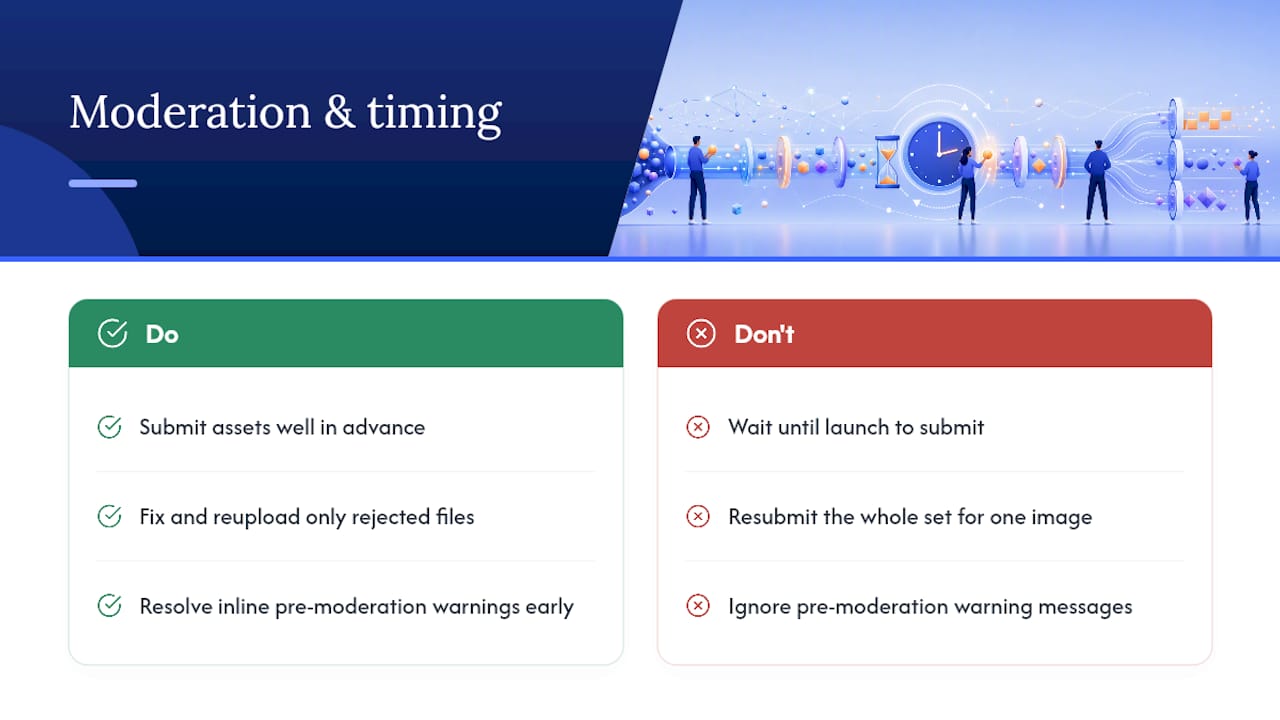
Amazon reviews DSP creative through asset-level moderation, meaning each individual asset gets checked on its own rather than as part of one bundled unit. That’s good news for production teams: a single rejected image doesn’t force a resubmission of the entire creative set, just a fix and reupload of the offending file.
The builder also surfaces inline pre-moderation warnings before full review, flagging likely policy issues so you can fix them before they turn into a formal rejection.
Timing still matters more than most teams plan for. Submit creative assets well in advance before launch to avoid delays or losing ad inventory placement, as late files can cause campaign disruptions.
What Testing Sequence Actually Improves DSP Creative Performance?
Specs get you approved. A testing sequence gets you results. Run tests in this order:
Testing everything at once buries the signal. You won’t know whether a lift came from new copy or a new image, and you’ll end up rerunning the test anyway.
Alignment with the destination page matters just as much as the creative itself. A strong landing experience on the product detail page or Brand Store needs to match what the ad promises, in tone and in specific claims.
A few non-negotiable design habits:
Pro Tip: Keep a swipe file of your winning variants by placement type. What wins on a 300x250 rarely wins on a 970x250, and reusing “what worked last time” without checking the format is a quiet way to waste a media budget.
How Nectar Approaches DSP Creative Production and Moderation
Nectar builds DSP creative around a brief-to-launch workflow: creative brief, layered source files with full 2x exports, an internal preflight QA pass against Amazon’s policy checklist, submission, then rapid iteration using iDerive analytics once early signal comes in. Brand teams and creative vendors share one asset library and one signoff process, so nothing gets stuck waiting on a file that lives in someone’s inbox. That structure is what keeps rejection cycles short and testing cycles fast.
Get Managed Support for Amazon DSP Creative
Building compliant DSP creative at scale, across a dozen sizes, mobile 2x exports, and video end cards, eats production time that most brand teams don’t have to spare. Nectar runs Amazon DSP creative production and campaign management as one connected service: an in-house creative studio produces the static and video assets, while the media team handles submission, moderation troubleshooting, and ongoing optimization through Nectar’s proprietary iDerive analytics platform.

If your last DSP campaign lost inventory to a late creative or a rejection cycle that ate your launch window, that’s a production problem, not a media-buying problem. Nectar’s Amazon Growth & Optimization team can run a creative audit against your current DSP assets and flag compliance gaps before they cost you a placement. Request a creative preflight review to see where your current assets stand.
Where to Verify Amazon DSP Creative Specs Directly
Amazon updates its ad specs periodically, so treat these as the primary sources to bookmark and recheck before every major campaign build:
Sources
Recommended


.png)






















.png)



































































