
Amazon budget pacing is the practice of making sure your ad spend lands where you want it across the day, the month and your peak events, instead of burning out by lunchtime or sitting unspent. The key fact is that your Sponsored Products daily budget is not a hard daily cap. Amazon averages it over the calendar month, so a single day can run up to 25% over, as long as the month stays within budget. Good pacing starts with understanding that rule and building your process around it.
TL;DR
- A daily budget is a monthly average in practice. Any single day can spend up to 25% more than the number you set, and the month still lands at daily budget times days in the month.
- “Out of budget” usually means the campaign is working, not broken. The real question is whether the spend it captured was profitable and whether the missed hours were worth buying.
- Use the tools Amazon gives you: the Budgets page, budget rules, and, on the DSP side, delivery alerts, Delivery Rate and Budget at Risk.
- Pace by job, not by a flat multiplier. Prime Day and Q4 budgets should follow margin and conversion, not a rule of thumb.
- Review pacing at least every two weeks, and daily during events.
How Amazon actually paces a daily budget
When you set a daily budget on a Sponsored Products campaign, Amazon describes it as the amount you are willing to spend each day. But its own guidance says the budget is averaged over a calendar month. On any given day you could spend less than that figure or up to 25% more.
Amazon’s own example: a $10 daily budget can produce $12.50 of spend on a busy day, yet the month still adds up to $300.
Here is the same logic at a scale a mid-market brand would recognize:
- Daily budget: $400
- Days in the month: 30
- Monthly ceiling: $12,000
- Maximum spend on a single high-traffic day: $500
If Amazon spends $500 on a Saturday, it can spend less on slower days so the month still comes in at or below $12,000. That flexibility is the point. It lets your campaigns capture demand when shoppers are actually buying.
Why spend can look front-loaded
Amazon spends daily budgets as fast as relevant impressions are available. In its definition of “out of budget,” Amazon notes that a campaign has used its daily budget because ads were served to relevant shoppers, and a small budget can be gone in minutes if many shoppers are engaging with your products.
That means pacing on Amazon is not the smooth, evenly spread delivery you may know from other ad platforms. Without controls, budget goes to whenever demand and your bids line up. If your best conversion hours are in the evening and your budget is gone by 10 a.m., you are paying for the wrong traffic.
What “out of budget” really tells you
Seeing a campaign flagged out of budget triggers panic for many brand managers. It should trigger a question instead: was the spend good?
Amazon’s guidance frames the response around performance scenarios. Two are most useful:
- Budget gone, conversions strong. You are leaving profitable sales on the table. Raise the budget, or move money from campaigns that are not using theirs.
- Budget gone, no conversions. More budget is the wrong fix. Amazon suggests working on bidding, targeting and the product detail page, then rechecking. If that does not help, reduce the budget and reallocate it to a campaign that performs.
The other two scenarios mirror these for campaigns that are not spending their budget. Low spend with good conversion points to bids or targeting that are too narrow. Low spend with weak conversion points back to the listing.
Be skeptical of the recommended budget
Amazon often suggests a bigger daily budget. Advertiser forums are full of owners annoyed that recommendations always push spend up, and that frustration is understandable. The recommendation is a signal about missed impressions, not a verdict on profitability. Check it against your own numbers: margin, target ACOS or TACOS, and whether the campaign’s incremental sales justify the extra dollars. Amazon says the recommended budgets on the Budgets page (beta) are a useful reference, and a reference is all they should be.
The pacing toolkit inside Amazon Ads
The Budgets page
Amazon’s Budgets page (beta) shows campaigns that ran out of budget and lets you analyze what that cost in performance over a chosen period. It also surfaces recommended budgets for many campaigns. Treat missed impressions and missed clicks as planning data: they show where demand existed that you did not capture.
Budget rules
Budget rules automate increases so you do not have to babysit campaigns. Amazon’s budget rules guide describes two kinds:
- Schedule-based rules raise the budget for set days or events, such as a holiday or Prime Day.
- Performance-based rules raise the budget when a metric you choose, such as ROAS, click-through rate or conversion rate, meets a threshold.
In late 2023 Amazon also added hours of day to schedule-based rules for Sponsored Ads campaigns. That matters for pacing, because you can lift the budget during the hours your shoppers convert best instead of letting early traffic exhaust it.
A practical setup for a campaign that always runs dry on weekends: keep the base budget at a level that holds profitability on slow days, and add a weekend schedule rule for the extra headroom. Amazon itself suggests rules for campaigns that run out of budget at the same time each period.
Delivery metrics and alerts on the DSP
If you run Amazon DSP, pacing works differently, because spend is tied to orders and flights. Amazon introduced two order-level metrics, Delivery Rate and Budget at Risk. Delivery Rate compares how fast an order is spending against its budget and progress through the current flight. Budget at Risk flags money that may go unspent.
Amazon also added in-line delivery alerts for self-service DSP advertisers. These flag orders with delivery issues and point you to a recommended action.
More recently, Amazon launched hierarchical campaign control, a budget optimization system that replaces line item budget in the DSP console with line item projected spend. The direction is clear: less manual allocation per line item, more system-level pacing. Your job shifts toward setting the right order-level budget and goals, then watching delivery.
A pacing routine that works for mid-market brands
The most common mistake is not looking until a campaign is already out of budget. A steady cadence prevents most problems.
Weekly
- Check which campaigns hit their budget, and at what hour.
- Compare spend on those campaigns against sales and margin, not just ACOS.
- Move budget from campaigns that consistently underspend to ones that run out while converting.
Every two weeks
- Review missed impressions and clicks on the Budgets page.
- On DSP, review Delivery Rate and Budget at Risk for every active order.
- Reset budget rules to reflect what you saw.
Monthly
- Reconcile actual spend against the monthly ceiling (daily budget times days in the month).
- Decide whether the overall budget level still matches the business goal: growth, profit or share.
This is not set and forget. Budgets should reflect business sustainability and specific performance goals, and Amazon’s own best-practice material says the right level depends on those goals.
Pacing through Prime Day, Black Friday and Q4
Peak events are where pacing goes wrong most often. Demand spikes, competition for placements rises, and a budget that was fine all month is gone by mid-morning.
Some advice you will see online says to cap deal ASINs at 2 to 3 times the normal daily budget. Other guidance pushes back and says to skip the flat multiplier and build budgets around each SKU’s job, margin and where conversion concentrates. We agree with the second view, because a multiplier treats every product alike.
A better approach:
- Sort ASINs by job. Hero products with deals, traffic drivers, and products you want to protect on defense each need different budgets.
- Start from margin. Work out what you can afford to pay per order on discounted pricing. A deal price compresses margin, so your break-even ACOS drops.
- Find where conversion concentrates. Use prior event data to see which hours and placements convert, then use schedule-based rules with hours of day to fund them.
- Plan for the 25% rule. Event days can run over the daily figure, so compute your total event exposure with that in mind.
- Check pacing intraday. During the event, review at least morning and mid-afternoon, not just at the end of the day.
For more on event planning, see our Amazon shopping event tips.
Pacing a monthly retainer or budget target
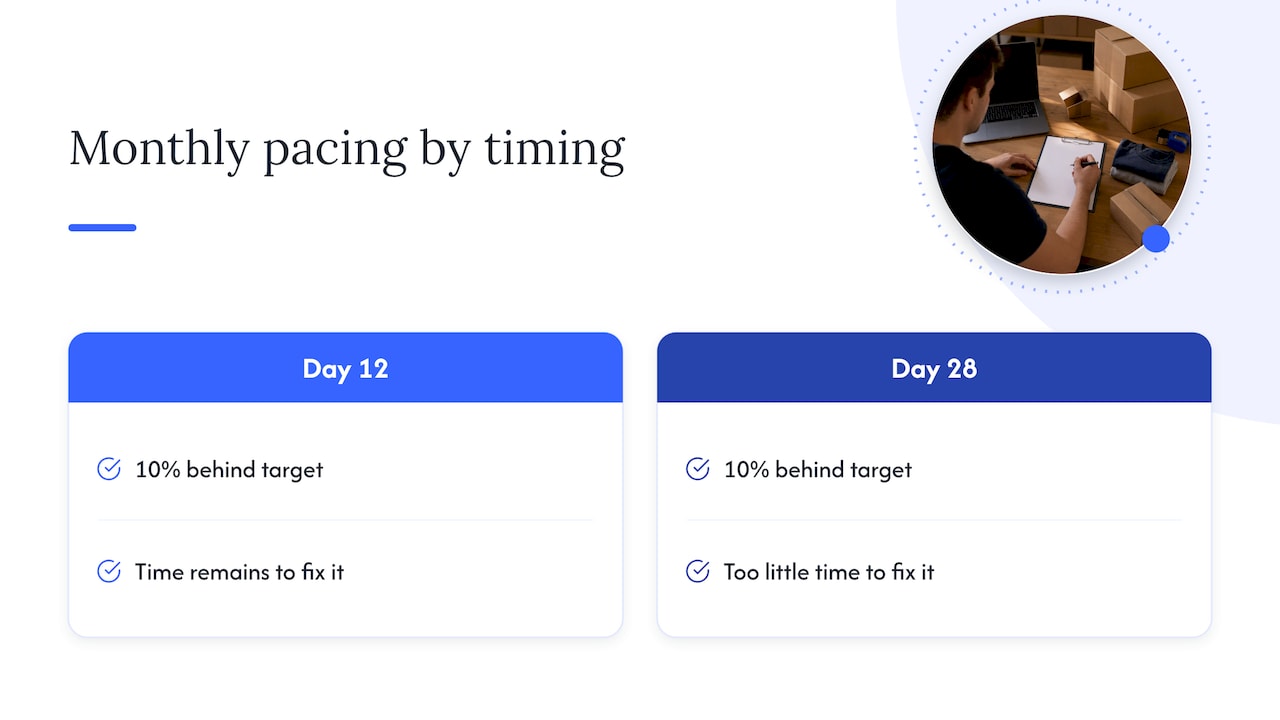
If your agency or internal team has a monthly spend target, you are really pacing against a monthly number rather than a daily one. In that case, the most useful check is simple: take spend to date, divide by days elapsed, and compare it with target divided by days in the month. If you are 10% behind on day 12, you have time to fix it. If you are 10% behind on day 28, you do not.
Because Amazon allows the 25% daily variance, a campaign that looks behind mid-month may catch up on its own in high-traffic windows. Do not raise budgets on reflex. First check whether the cause is low demand, narrow targeting, weak bids or a listing problem.
It also helps to step back from channel-level budgets. Spend that makes sense for Sponsored Products may not make sense once you consider your DSP, Walmart and owned-site investments. Our guides on structuring ecommerce ad budgets and managing ad spend across Amazon, Walmart and Shopify cover that wider allocation question.
Common budget pacing mistakes
Treating the daily budget as a hard cap
It is not. If finance needs a firm ceiling, communicate the monthly figure, which is the true limit, and explain that single days can run 25% above the daily setting.
Starving the campaigns that convert
Cutting everything to protect ACOS can shut off the very campaigns producing your best sales. Pacing is about the right money in the right place.
Feeding campaigns that do not convert
The reverse also happens. A campaign that burns its budget with no orders needs a listing, bid or targeting fix, not more money.
Ignoring time of day
If budget is gone before your peak hours, you are buying low-intent clicks. Hours-of-day rules exist for this.
Measuring only by campaign
A campaign can look efficient while mostly capturing shoppers who would have bought anyway. Pacing decisions improve when you measure incrementality and total business impact, not just attributed ACOS.
Our perspective on Amazon budget pacing
We manage Amazon, Walmart and Shopify programs for mid-market and enterprise brands, and the pacing problems we see are rarely about the settings. They come from the question behind the settings: what is each dollar supposed to do?
Our view is profit-first. A campaign that spends its full budget by noon and sells at a healthy margin is a success that deserves more fuel. A campaign that spends slowly and converts poorly is a diagnosis problem, not a budget problem. Treating both the same, by chasing a smooth spend line, wastes money.

We also think brands should stop fearing the 25% overspend. It is a feature that captures demand on high-traffic days. The control that matters is the monthly ceiling and the quality of what the spend buys.
Finally, pacing breaks down when data lives in separate places. Our iDerive analytics platform exists so Amazon, Walmart and DTC data can be read together in business language, which makes it faster to see where budget should move. The brands that pace well review on a schedule, decide by margin and job, and automate the repetitive parts with rules.
— Dan Katona
When to bring in a managed team
Pacing is not hard to understand, but it is time-consuming to do well across dozens of campaigns, several marketplaces and peak events. If your team is spending its week adjusting budgets instead of planning growth, our Amazon Sponsored Ads management and Amazon Growth & Optimization services are built for mid-market and enterprise brands that want budgets managed against profit, with creative and listing work in the same team. You can also see the full retail media advertising capabilities, including Amazon DSP.
FAQ
Is there a way to set a spending limit on Amazon ads?
Yes, but it works as a monthly limit. A Sponsored Products daily budget is averaged over the calendar month, so a single day can run up to 25% over while the month stays at the daily budget times the number of days. Lower the daily budget if you need a lower monthly ceiling.
Why does my Amazon campaign run out of budget so early?
Amazon spends budgets as fast as relevant shoppers see your ads, so a small budget can go in minutes on a busy day. Check the Budgets page for missed impressions and consider a schedule-based budget rule if it happens at the same time each week.
Should I accept Amazon’s recommended budget increase?
Not automatically. Compare the campaign’s sales, margin and incremental value against the extra spend first. If it converts profitably, an increase may pay off. If it does not, fix bids, targeting or the listing before adding money.
How often should I review budget pacing?
At least every two weeks for standard campaigns, using the Budgets page and, on DSP, Delivery Rate and Budget at Risk. During Prime Day or Q4 events, check more than once a day.
Sources
- Sponsored Products budget basics and best practices, Amazon Ads
- A complete guide to budget rules, Amazon Ads
- Hours of day now available for schedule-based budget rules, Amazon Ads
- New Delivery Metrics: Order-Level Delivery Rate and Budget at Risk, Amazon Ads
- Pacing Alerts and Recommendations, Amazon Ads
- Maximize order delivery with hierarchical campaign control, Amazon Ads
Recommended
.png)























.png)



































































