
TL;DR:
Fix attribute completeness first, then ensure a 95% or higher in-stock rate before enabling fast fulfillment to improve Walmart’s search ranking.
Optimizing product attributes, inventory, and fulfillment quickly boosts organic visibility more effectively than relying on advertising or promotions alone.
Fix attribute completeness first, stabilize your in-stock rate second, and get on WFS third. Do those three things in order and you will have addressed the highest-impact levers in Walmart’s ranking algorithm before touching a single ad dollar.
Here is the prioritized checklist to run right now:
-
Complete your item attributes to a high level of completeness. Walmart’s Luminate Ranking engine, rolled out in late June 2026, scores semantic relevance from structured data first. Incomplete spec tables suppress indexing before shoppers ever see your listing.
-
Hit a 95%+ in-stock rate. Two stockout events in a 30-day window can push a listing back multiple pages. Set conservative reorder triggers before anything else.
-
Enable fast fulfillment (WFS or equivalent). Two-day delivery is now an explicit ranking signal. If WFS fees by size tier pencil out for your top SKUs, enroll them first.
-
Price competitively. Walmart benchmarks your price against external marketplaces. A listing priced above comparable offers loses Buy Box eligibility and ranking weight simultaneously.
-
Refresh images and rich media. High-resolution hero shots and supplemental lifestyle images directly affect your Content Quality Score, which feeds the algorithm.
-
Launch Sponsored Products on new or restocked listings. Paid traffic generates conversion signals that accelerate organic rank during the first 30–60 days.
What to expect on timing: Attribute and image fixes typically surface in Seller Center within a week. Inventory and fulfillment changes affect rank within 7–14 days of consistent in-stock status. Organic rank movement from the full playbook is usually visible at 30 days, meaningful at 60, and compounding by 90.
How does Walmart’s ranking algorithm decide search results?
Walmart’s search engine shifted significantly with the Luminate Ranking rollout in late June 2026. The new model is built on a large language model that reads structured attributes and natural-language spec data rather than counting keyword frequency. That is a meaningful change from the previous approach, where stuffing a title with search terms could move a listing up the page.
The primary signals, roughly in order of impact:
-
Attribute completeness and Content Quality Score. Walmart recommends an 85% attribute fill as the floor for full indexing. Below that threshold, the algorithm treats the listing as incomplete and deprioritizes it regardless of sales history.
-
Published and in-stock rate. The algorithm checks whether your item is actually available to buy. A listing that is published but out of stock scores poorly on the transactability component.
-
Fulfillment speed. WFS enrollment and two-day delivery carry explicit ranking weight. Non-WFS sellers can partially offset this with optimized shipping templates that cover more regions.
-
Price competitiveness. Walmart’s Price Competitiveness Score (PCS) measures the proportion of your impressions meeting or beating external competitor prices. A low PCS drags down your overall Listing Quality score.
-
Review sentiment and return rate. The model pulls signals from review text, average star rating, and return rate. High return rates flag product-content mismatches and suppress rank.
-
Sales velocity. Conversion history remains a signal, but under Luminate it is weighted alongside structured data rather than dominating it. A well-attributed listing with lower review counts can outrank a high-review listing that lacks complete spec tables.
The practical implication: a listing with full specification tables and accurate category mapping will often outperform a competitor with more reviews but thin attributes. That is a real departure from how most sellers learned to optimize on other platforms.

How do you write product titles and descriptions that actually rank?

Titles on Walmart should be written for the algorithm’s semantic model, not for keyword density. The model reads attribute clarity. A title that strings together five search terms with no structure confuses it; a title that names the product type, key spec, and variant clearly does not.
Four title templates for common product types
-
Single-SKU consumable or commodity: [Brand] + [Product Type] + [Key Spec] + [Size/Count/Flavor] — e.g., “Acme Protein Powder, Chocolate, 2 lb”
-
Variant listing (color/size): [Brand] + [Product Type] + [Material or Key Feature] + [Variant Attribute] — e.g., “Acme Yoga Mat, Non-Slip TPE, 6mm, Blue”
-
Accessory or compatibility item: [Brand] + [Compatible Device/System] + [Product Type] + [Key Spec] — e.g., “Acme Compatible with iPhone 15 Pro Tempered Glass Screen Protector, 2-Pack”
-
Multi-use or bundle: [Brand] + [Product Type] + [Primary Use Case] + [Count or Kit] — e.g., “Acme Resistance Band Set, Home Gym Training, 5-Band Kit”
Before and after: what the semantic model rewards
Bad title: “Best Protein Powder Chocolate Whey Supplement Muscle Gain Shake Powder 2lb Acme” Good title: “Acme Whey Protein Powder, Chocolate, 2 lb”
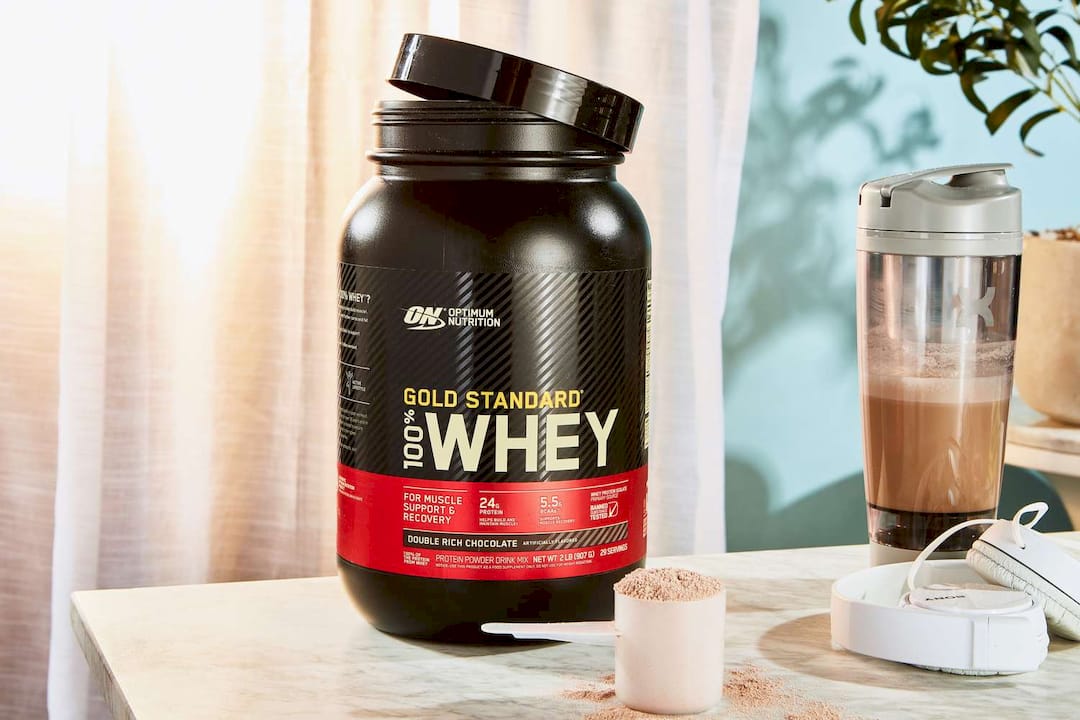
The bad version stuffs intent phrases that the LLM reads as noise. The good version names the product type, flavor, and size cleanly — exactly what the attribute model expects.
Bad description opening: “Looking for the best protein powder on the market? Our amazing chocolate shake is perfect for muscle gain, weight loss, and energy.” Good description opening: “Acme Whey Protein Powder delivers 25g of protein per serving from 100% whey concentrate. Mixes in 30 seconds with no clumping. Available in Chocolate, Vanilla, and Unflavored.”
The good version leads with a spec, not a sales pitch. Walmart’s algorithm can parse “25g of protein per serving” as a structured attribute; it cannot do much with “best on the market.”
Title and description rules to follow
-
Keep titles in the 50–75 character range. Longer titles get truncated on mobile and lose attribute clarity.
-
Put the most differentiating spec (size, count, material, compatibility) immediately after the product type.
-
Avoid repeating the brand name in the title if it already appears in the brand field.
-
Short description: 3–6 bullet points covering the top specs and one clear use-case benefit each.
-
Long description: at least 250 words, written in natural language, with spec data woven into sentences rather than listed as raw numbers.
Pro Tip: Never copy your Amazon listing directly into Walmart. Amazon’s taxonomy uses different required fields, and attributes that map correctly on Amazon often mis-map on Walmart — particularly in electronics, home, and health categories. Start from Walmart’s Item Spec sheet for each category, not from your Amazon feed. See Walmart listing optimization tips for a category-by-category breakdown.
How do you audit and fix item specs and category mapping?
Attribute completeness is the fastest lever most sellers have not fully pulled. The audit is straightforward; the fix is mostly time and catalog discipline.
Attribute audit checklist
-
Pull your Listing Quality dashboard in Seller Center (Growth > Listing Quality) and sort by Content & Discoverability score, lowest first.
-
For each flagged item, open the Details view and expand the Content & Discoverability component. Walmart shows you exactly which attributes are missing or incorrect.
-
Separate required fields (those that affect indexing) from recommended fields (those that improve score but do not block publishing). Fix required fields first.
-
Validate these four data points for every SKU: dimensions and weight (must match physical product), GTIN/UPC (must match GS1 registry), variant attributes (color, size, flavor must be consistent across the variant group), and product type group (must match Walmart’s taxonomy, not your internal naming).
-
Download the Item Spec sheet for each category from Seller Center’s Item Setup section. These sheets list every required and recommended attribute for that product type.
Category mapping tips
Wrong category mapping is one of the most common causes of low Content Quality scores, and it is invisible until you check. A product filed under the wrong product type group will never fully index for the queries it should rank for. Prioritize your top-selling SKUs by 90-day revenue when running mapping fixes — correcting a $50,000/month SKU’s category delivers more ranking impact than fixing 50 low-volume items.
Pro Tip: Tool vendors including Helium 10, Jungle Scout, and Feedonomics have added features specifically to flag attribute completeness gaps after the Luminate rollout. For large catalogs, use one of these to triage at scale before doing manual fixes in Seller Center.
What image specs and shot list does Walmart require?
Images are the first thing a shopper evaluates and a direct input to your Content Quality Score. Walmart’s requirements are specific, and listings that miss them lose both algorithmic weight and conversion rate.
Image file requirements
-
Minimum resolution: 1000 x 1000 pixels (enables zoom; 2000 x 2000 recommended for best zoom quality).
-
Accepted formats: JPEG, PNG, GIF, BMP, TIFF, WebP.
-
Hero image background: pure white (RGB 255, 255, 255), product occupying at least 85% of the frame, no watermarks or promotional text.
-
Minimum image count for a competitive Content Quality Score: 4 images. Six or more is the practical target for most categories.
Recommended shot list
-
Hero: Clean white background, full product visible, no props.
-
Scale/context: Product shown in use or next to a recognizable object that communicates size.
-
Usage shot: Lifestyle image showing the product being used in its intended environment.
-
Key-spec close-up: Zoomed detail of the most important feature (material texture, connector type, label ingredients, etc.).
-
Packaging: All sides of the retail package, especially if the product ships in its own box.
-
Video (optional but high-impact): A 30–60 second product demo or unboxing. Rich media increases dwell time, which feeds a positive engagement signal to the algorithm.
Pro Tip: Compress images to under 2MB before uploading. Walmart’s CDN will serve them faster, which reduces page load time and lowers bounce rate. Use a tool like TinyPNG or Squoosh to reduce file size without dropping below the 1000 x 1000 pixel floor. For professional-grade creative that meets Walmart’s exact specs, product photography services built for marketplace listings save significant rework time.
How does pricing affect your Buy Box and search rank on Walmart?
Walmart enforces price parity more aggressively than most sellers expect. If your product is listed cheaper on another marketplace or your own website, Walmart can suppress the listing or remove the Buy Box entirely — not just penalize your ranking score.
How Walmart benchmarks price
The Price Competitiveness Score in your Listing Quality dashboard shows what percentage of your impressions, over the last 30 days, met or beat external competitor prices. A low PCS directly reduces your overall Listing Quality score. Walmart compares against first-party Walmart pricing, other third-party sellers on Walmart, and external marketplaces including your own DTC site.
Repricing tactics that protect margin
-
Set threshold bands: define a floor price (minimum acceptable margin) and a ceiling (MAP or MSRP). Reprice automatically within that band rather than chasing every competitor move.
-
Use targeted promotions (coupons, rollback pricing, or Deals) rather than permanent price cuts when you need a short-term conversion signal. Promotions generate sales velocity without permanently anchoring your price lower.
-
Monitor your PCS weekly. If it drops below 70, investigate which external price is triggering the gap before adjusting.
Tools for price monitoring
Seller Center’s Listing Quality dashboard shows the competing external price and links to the product page. For larger catalogs, repricer tools that integrate with Walmart’s API can automate threshold-based adjustments and send alerts when a competitor undercuts your floor. Check your Pricing Insights report in Seller Center for item-level price gap data.
How do inventory and fulfillment affect your Walmart search rank?
Walmart’s algorithm reacts to stockouts faster than most sellers realize. Two stockout events within a 30-day window can produce multi-page ranking drops that take weeks to recover from. The fix is operational, not creative.
Inventory health checklist
-
Set reorder triggers conservatively. Calculate lead time (supplier to warehouse) plus a safety buffer of at least 14 days for your top SKUs.
-
Safety stock formula: (maximum daily sales × maximum lead time) minus (average daily sales × average lead time). Run this for every SKU generating more than $5,000/month.
-
Monitor your Published & In-Stock score in Seller Center. It updates daily based on the last seven days. Target 95%+.
-
Flag any SKU that has gone out of stock twice in the last 30 days for immediate reorder-trigger review.
WFS vs. self-fulfillment
WFS enrollment gives listings the two-day delivery badge, which is an explicit ranking signal under Luminate. WFS fees run 8%–15% of the item selling price depending on size tier. For most standard-size, high-velocity SKUs, the ranking uplift and conversion improvement from the two-day badge more than offsets the fee. Run the math: take your current conversion rate, estimate a 10–20% lift from the badge, and compare the incremental revenue against the fee increase.
Non-WFS sellers can partially close the gap by optimizing shipping templates to cover more regions with fast shipping (5 days or less). This improves your Shipping score in the Listing Quality dashboard without WFS enrollment.
Pro Tip: Enroll your top 20% of SKUs by revenue in WFS first. Do not try to migrate your entire catalog at once. Validate the fee math on high-velocity items, then expand enrollment as you confirm the margin holds.
How do reviews, ratings, and returns affect your ranking?
Reviews and return rate are post-purchase signals that feed directly into Walmart’s ranking model. A listing with a high return rate signals a content-product mismatch to the algorithm, which suppresses it regardless of how good the title and images are.
Reducing returns operationally
-
Audit your top-returned SKUs. Pull the return reason data from Seller Center’s Post-Purchase Quality tab. “Item not as described” and “wrong item received” are fixable with better content; “defective product” requires a supply chain fix.
-
Verify that your spec table matches the physical product exactly — dimensions, weight, color, compatibility. A single wrong dimension drives returns and suppresses rank.
-
Add clear packaging instructions and setup guides for products that require assembly or configuration.
Accelerating review velocity
-
Walmart’s Review Accelerator program allows sellers to request reviews from verified purchasers. Enroll eligible SKUs and run it on new listings and restocked items first.
-
For mid-volume categories, 15–25 reviews at 4.2+ stars is often enough to be competitive. You do not need hundreds of reviews to rank well on Walmart.
-
Post-purchase packaging inserts that direct buyers to leave feedback are allowed as long as they do not incentivize positive reviews specifically. Keep the language neutral: “Tell us what you think.”
-
Review Syndication, where available, lets you pull reviews from your brand’s own site or other channels into your Walmart listing. Check eligibility in Seller Center.
Benchmarks and remediation
If a listing’s return rate climbs above 8%, treat it as an alert threshold. Pull the return reasons, cross-reference them against your content, and fix the most common mismatch within two weeks. Listings with persistent high return rates will see rank suppression that content fixes alone cannot reverse until the rate improves.
What is the Content Quality Score and how do you raise it fast?
The Listing Quality Score in Seller Center is a 0–100 composite that Walmart uses to measure how well your listing serves a buyer. It is not a single metric — it is built from five components, each weighted differently depending on the product category.
The five components
-
Content & Discoverability: Item name, description, key features, images, and discoverability attributes (brand, manufacturer part number, color, size). This is where attribute completeness lives.
-
Offer: Price competitiveness, shipping price, and whether the item is available to purchase.
-
Shipping: Whether you offer fast shipping (5 days or less) and how many regions you cover.
-
Published & In-Stock: How often your item is published and in stock over the last seven days.
-
Ratings & Reviews: Review count and average star rating.
Audit and fix workflow
Open Seller Center, go to Growth > Listing Quality, and sort by score ascending. Filter for items flagged as Mid or High impact priority — those represent the best opportunities. The Fix Issues guide in Marketplace Learn walks through each issue type and the corrective action. Note that fixes submitted in Seller Center may take up to a week to reflect in your score.
Quick wins that move the needle fastest: adding missing images (especially the hero and scale shots), completing spec table fields, enabling fast shipping templates for more regions, and correcting price gaps flagged in the Offer component.
Pro Tip: Do not run a catalog-wide fix sprint. Sort your items by 90-day trailing revenue and fix the top 20% first. A 10-point score improvement on a $30,000/month SKU is worth more than fixing 100 low-volume items. Batch your fixes by revenue tier, not alphabetically.
How should you use backend search terms and semantic matching?
Under Luminate, backend keyword fields are read as natural-language attributes, not as a keyword injection layer. The model interprets them the same way it reads your title and spec table — for semantic relevance, not raw term frequency.
Dos and don’ts for backend fields
-
Do use natural phrases that describe the product’s use case, compatible systems, or common buyer language (“fits standard kitchen drawer,” “works with Alexa,” “BPA-free food storage”).
-
Do include common misspellings and alternate product names that buyers actually search.
-
Do not repeat terms already in your title or attributes. Duplication does not increase relevance under the semantic model.
-
Do not stuff competitor brand names or unrelated high-volume terms. The LLM flags these as irrelevant and they can harm your score.
Harvesting terms from your own data
Your Sponsored Products search term report is the best source of converting natural-language phrases. Pull it weekly, filter for terms with clicks and orders, and add the highest-converting phrases to your backend fields and long description if they are not already there. The Search Insights dashboard in Seller Center also shows keyword recommendations and search funnel rank by item — check it monthly for gaps.
Testing changes
Run content edits on lower-traffic SKUs first. Give each change 14 days before evaluating impact, using impressions and conversion rate as your primary signals. The Search Insights dashboard tracks performance 14 days before and after a keyword addition, which makes attribution straightforward.
How do ads and promotions accelerate organic rank on Walmart?
Sponsored Products do not directly boost organic rank, but the conversion signals they generate feed the algorithm. A listing that converts well from paid traffic gets credited with sales velocity, which is a ranking input. The effect is real and measurable, especially during launches and restocks.
Campaign setup for rank acceleration
-
Launch with an automatic Sponsored Products campaign at $15–$25/day for the first two weeks. Auto campaigns harvest converting search terms you may not have anticipated.
-
After two weeks, pull the search term report. Move terms with confirmed conversions to a manual campaign with exact or phrase match and tighter bids.
-
Use bid multipliers for top-of-search placement on your highest-priority SKUs during the launch window. The visibility premium is worth it for the first 30 days.
Promotions and conversion signals
Coupons, rollback pricing, and Deals events generate short-term conversion spikes that the algorithm reads as demand signals. Stack a promotion with a Sponsored Products campaign during a restock or new launch for maximum velocity. The combination of paid traffic and a price incentive compresses the time it takes to build organic rank.
Metrics to track
For Walmart Connect advertising, watch ACoS (Advertising Cost of Sale) as your efficiency signal, but during a launch phase, prioritize conversion rate and search rank movement over ACoS. A higher ACoS is acceptable for 30–60 days if it is generating the conversion history that lifts organic placement. Once organic rank stabilizes, shift budget toward efficiency.
How do you measure whether your ranking efforts are working?
Tracking the right metrics in the right cadence is what separates sellers who iterate quickly from those who make changes and wait months to see if anything happened.
KPIs to monitor and where to find them
-
Impressions and clicks: Search Insights dashboard in Seller Center. Check weekly. Flat or declining impressions after a content fix usually mean the fix has not yet indexed — wait the full week before concluding it did not work.
-
Conversion rate: Seller Center analytics. A content fix that improves impressions but not conversion rate points to a pricing or image problem, not an attribute problem.
-
In-stock rate (transactability score): Listing Quality dashboard, Published & In-Stock component. Alert threshold: below 95%.
-
Sales velocity: Seller Center order reports. Track 7-day and 30-day rolling averages for top SKUs.
-
Return rate: Post-Purchase Quality tab. Alert threshold: above 8% for any SKU.
-
Item Content Score: Listing Quality dashboard, Content & Discoverability component. Target: above 85.
Daily vs. weekly monitoring
Check in-stock rate and order velocity daily for your top 20 SKUs. Review impressions, conversion rate, and Listing Quality scores weekly. Run a full catalog audit monthly — sort by score ascending, identify new items that have dropped below 75, and queue them for the next fix sprint.
Attribution windows by change type
Content and attribute fixes: allow up to 7 days for Seller Center to reflect the change, then 14–30 days to see rank movement. Inventory fixes: rank impact is visible within 7–14 days of consistent in-stock status. Ad-driven conversion signals: organic rank response typically appears within 30 days of sustained campaign activity.
What Nectar has seen working in 2026
The pattern Nectar sees most often across Walmart accounts is a catalog that was set up by copying Amazon listings and never properly remapped to Walmart’s taxonomy. The Content Quality scores are low, the attribute completeness is below 70%, and the seller has been running Sponsored Products to compensate for poor organic visibility. Ads are doing the heavy lifting that content should be doing for free.
The fastest rank recoveries come from fixing attribute completeness and category mapping first, then enrolling top SKUs in WFS, then layering promotions on top of the improved listings. Attribute fixes alone, when the catalog was significantly under-mapped, can produce visible rank movement within two to three weeks. WFS enrollment on high-velocity SKUs tends to show conversion rate improvement within the first 30 days of the two-day badge appearing.
The sequencing matters. Sellers who run ads before fixing content are paying for traffic to listings that convert poorly. The algorithm reads that poor conversion rate and suppresses organic rank further. Fix the listing, then spend on ads.
Triage your catalog by 90-day trailing revenue per SKU. Fix the top revenue items first, regardless of how many low-volume items have worse scores. The ranking impact of improving a high-revenue SKU compounds faster because it already has traffic and conversion history for the algorithm to reward.
Pro Tip: When a client comes to Nectar with a large catalog and limited bandwidth, the first deliverable is always a revenue-weighted audit: every SKU ranked by trailing 90-day revenue, with Content Quality Score, in-stock rate, and WFS eligibility mapped against it. That single document tells you where to spend the first 30 days.
Key Takeaways
Improving Walmart rankings in 2026 requires attribute completeness above 85%, a 95%+ in-stock rate, and fast fulfillment — in that order, before ads or promotions.
Point: Attribute completeness first Details: Hit the 85% attribute fill floor before any other fix; Luminate Ranking indexes from structured data, not keyword density.
Point: In-stock rate is non-negotiable Details: Two stockouts in 30 days can drop a listing multiple pages; target 95%+ and set conservative reorder triggers.
Point: WFS enrollment for top SKUs Details: WFS fees vary by size tier; the two-day badge is an explicit ranking signal worth running the margin math on.
Point: Content Quality Score target Details: Aim above 85 on the Listing Quality dashboard; fix images, spec tables, and shipping templates before touching ads.
Point: Nectar’s managed approach Details: Nectar audits catalogs by 90-day revenue, fixes attributes and creative, evaluates WFS, and manages Sponsored Products as a unified ranking program.
How Nectar thinks about Walmart ranking projects
The agency perspective on Walmart optimization is that most mid-market brands underestimate how different Walmart’s catalog requirements are from Amazon’s. The taxonomy is different. The attribute fields are different. The algorithm, especially post-Luminate, rewards structured completeness in a way that Amazon’s A9 never did as explicitly. Sellers who treat Walmart as a secondary channel and manage it with Amazon-trained instincts tend to plateau at mediocre organic visibility.
The project flow Nectar runs starts with a revenue-weighted catalog audit, then moves to attribute remediation and creative refresh (titles, images, spec tables), then WFS eligibility evaluation for top SKUs, then Sponsored Products campaign setup once the listings are ready to convert. Running ads before the listing is fixed is the single most common mistake Nectar sees — and the most expensive one, because you are paying for traffic that the algorithm will use as evidence that your listing does not convert well.
Who should hire an agency versus keep this in-house? If your catalog has fewer than 50 SKUs, you have a dedicated catalog manager, and your Content Quality scores are above 80 across the board, you can execute this playbook internally. If you have hundreds of SKUs, cross-channel complexity (Amazon plus Walmart plus DTC), and a team that is already stretched, the cost of doing it slowly or partially is usually higher than the agency fee. The Walmart seller guide Nectar publishes covers the channel-level strategic case if you are still evaluating whether Walmart warrants the investment.
Expect meaningful rank movement at 30 days, compounding improvement at 60, and a stable new baseline by 90. The most common pitfall is stopping the process after the first sprint. Walmart’s algorithm updates continuously, and catalog hygiene is an ongoing operation, not a one-time project.
Nectar’s Walmart ranking services: from audit to execution
Brands that want to move faster than a DIY sprint allows work with Nectar for fully managed Walmart optimization. The engagement starts with a revenue-weighted catalog audit using Nectar’s proprietary iDerive analytics platform, which maps Content Quality scores, in-stock rates, WFS eligibility, and ad performance across every SKU in one unified view.

From there, Nectar’s team handles attribute remediation, title and description rewrites, in-house photography and video for listings that need creative, WFS enrollment evaluation, and Sponsored Products campaign management. Every fix is prioritized by revenue impact, not catalog size, so the highest-value SKUs improve first.
The result is a listing portfolio that earns organic rank rather than renting it through ads. If your Walmart catalog is underperforming and you want a clear picture of why, request a Walmart audit from Nectar. The audit identifies the highest-impact fixes and gives you a sequenced plan you can execute with or without agency support.
Primary sources and further reading
Use these sources when running audits, verifying benchmarks, and measuring progress in Seller Center.
-
Listing Quality Dashboard guide — Marketplace Learn. The primary reference for understanding how Walmart calculates your Listing Quality score and where to find item-level breakdowns. Start here before any audit.
-
Listing Quality: Fix Issues — Marketplace Learn. Step-by-step corrective actions for each issue type flagged in the dashboard. Note that fixes may take up to a week to reflect in your score.
-
Walmart Marketplace’s AI-Powered Search Overhaul — Ecommerce Times. The most detailed public reporting on the June 2026 Luminate Ranking rollout, including the shift to semantic attribute scoring and the 85% completeness benchmark.
-
How to Rank and Sell on Walmart Marketplace in 2026 — Ecommerce Times. Covers in-stock rate thresholds, review benchmarks, and Sponsored Products launch tactics with specific figures.
-
Search Insights dashboard — Seller Center. Navigate to Growth > Search Insights in Seller Center to download your catalog performance report, view keyword recommendations, and track search funnel rank by item. Use this monthly to identify content gaps and measure the impact of keyword additions.
-
Pricing Insights report — Seller Center. Shows item-level price gap data against external competitors. Check weekly for any SKU where your PCS has dropped below 70.
-
Nectar’s Walmart listing optimization guide. Detailed 2026 guidance on attribute mapping, category-specific requirements, and content quality benchmarks for brand owners managing their own catalog.
Recommended


.png)






















.png)



































































