Amazon Virtual Bundles let brand-registered FBA sellers create a single ASIN that groups a small number of their existing products. It’s a fast, low-risk way to raise average order value and test product combinations without buying new inventory.
- What it is: A new bundle ASIN built entirely from products you already sell
- Main benefit: Higher AOV and better discoverability with almost no upfront cost
- Main limit: You still pay separate fulfillment fees per component, and the bundle goes dark if any single item runs out of stock
Key Takeaways
| Point | Details |
|---|---|
| Check eligibility first | Confirm Brand Registry, FBA-only components, New condition, and 2 to 5 ASINs before building anything. |
| Price under the ceiling | Keep the bundle price at or below the sum of components, with a 5 to 10% discount as a starting point. |
| Budget for stacked fees | Each component carries its own FBA fulfillment fee, so model margin before launch, not after. |
| Use real purchase data | Pull Market Basket Analysis and Brand Analytics to find pairings customers already buy together. |
| Get expert support | Nectar’s Amazon Growth & Optimization team uses iDerive analytics to test and scale winning bundle pairings. |
How Amazon Virtual Bundles Actually Work
A virtual bundle isn’t a repackaged box sitting in a warehouse. It’s a new, standalone ASIN with its own detail page, its own reviews, and its own search ranking, even though nothing physically changes about the underlying inventory.
Here’s the mechanical flow:
- You select an anchor ASIN (your best seller) and 2 to 4 complementary ASINs already enrolled in Fulfillment by Amazon.
- Amazon creates a bundle listing that references those existing FBA units, so there is no separate bundle stock to manage.
- A customer orders the bundle, and Amazon pulls each component from its own inventory pool, sometimes shipping them in separate boxes from separate fulfillment centers.
- The bundle competes for its own keywords, giving you a second shot at page-one visibility for search terms your individual listings might not rank for.
As of 2026, the program is limited to the Amazon.com marketplace, so sellers running international storefronts can’t replicate the same bundle structure abroad yet.
Who Qualifies to Create Virtual Bundles
Amazon’s eligibility bar is narrow enough that a lot of sellers find out they don’t qualify only after they try. Check these before you invest time building bundle creative:
- You must be enrolled in Brand Registry and own the brand on every ASIN in the bundle.
- Every component must be fulfilled by Amazon (FBA) — merchant-fulfilled inventory isn’t eligible.
- Products must be listed in New condition; used, refurbished, or collectible items are excluded.
- A bundle can contain between 2 and 5 ASINs, no more and no fewer.
- Certain product categories are excluded outright, including hazardous materials and select regulated goods.
- All components need to be in stock at the time of submission, or the bundle will fail to go live.
The most common rejection point isn’t the ASIN count. It’s sellers trying to bundle a product they don’t fully own the brand rights to, or forgetting one component slipped out of stock overnight. Run a quick inventory check right before you submit.
The Real Payoff Against the Real Cost
Virtual bundles win on speed. Since Amazon draws from inventory you already have, there’s no manufacturing lead time, no new UPC, and no packaging redesign. You can test a pairing this week and kill it next week if it flops.
The upside shows up in three places:
- Average order value climbs because customers buy the set instead of one item.
- Discoverability improves since the bundle ASIN ranks independently and can surface for combination searches like “coffee grinder and scale set.”
- Setup cost is close to zero compared with commissioning physical multi-packs.
The tradeoffs are just as real. Amazon charges a separate fulfillment fee for each component inside the bundle, so your per-unit margin math changes even though your cost of goods doesn’t. A bundle also inherits the fragility of its weakest link: if one ASIN goes out of stock, the entire bundle disappears from search until it’s restocked.
Case in point: Amazon’s own Sell blog cites HexClad as a brand that drove a meaningful share of sales through virtual bundling, pairing cookware with complementary tools shoppers were already buying together. Results like that depend heavily on category and pairing quality, so treat it as a directional example, not a guaranteed outcome for every catalog.
Virtual bundles beat physical bundles when you’re testing an unproven pairing or when warehousing a new SKU isn’t worth the risk. They lose to physical bundles once a combination proves itself and the per-order fulfillment fees start eating into margin faster than a single packaged SKU would.
Building Your First Bundle in Seller Central
The tool itself lives inside Seller Central under Brands → Virtual Bundles, and the actual build takes less time than most sellers expect.
- Pick your anchor ASIN. This should be your highest-converting, most-reviewed product. It anchors the bundle’s credibility and, notably, this choice is permanent once submitted.
- Add 1 to 4 complementary ASINs that make sense in the same use case. A tripod and a phone mount. A protein powder and a shaker bottle.
- Write a dedicated bundle title that describes the combined use case, not just a mashup of both product names.
- Build a hero image showing all components together, since shoppers scanning search results need to instantly see what they’re getting.
- Write bullets focused on the combined experience, not a repeat of each product’s individual bullet points.
- Add A+ Content that reinforces the pairing logic. Comparison charts and lifestyle shots earn their keep here.
- Set your price and submit. Bundles can go live the same day, which makes them genuinely useful for fast seasonal tests.
Pro Tip: Treat your first bundle title as a headline, not a label. “Wireless Charger + Stand Bundle for Desk Setup” tells the shopper the use case in one glance, which matters more than fitting both product names into the title.
One submission trap catches sellers repeatedly: Amazon enforces a strict buy box pricing rule at checkout, and getting that wrong stalls the whole listing before it ever goes live. That rule gets its own section next because it’s the one most sellers underestimate.
Setting a Bundle Price That Protects Your Margin
Amazon enforces one non-negotiable rule: your bundle price must be less than or equal to the sum of the individual component prices. Price it above that threshold and you lose the buy box, full stop.
Inside that ceiling, you have room to work:
- A 5 to 10% discount off the combined component price is the range most practitioners land on, and it’s wide enough to feel like a deal without gutting margin.
- Discount too aggressively and you risk cannibalizing your standalone listings, training loyal customers to wait for the bundle instead of buying the anchor product alone.
- Before locking a price, run the math on per-item fulfillment fees, since each component in the bundle still carries its own FBA fee even though it ships as one order.
- Factor in incremental return risk too. A multi-item order has more surface area for a partial return, and that eats into the margin you thought you’d banked.
A bundle that looks profitable on paper can turn thin once you account for two or three separate fulfillment charges stacked into one order.
Getting the Bundle Seen and Refining It Over Time
A bundle ASIN starts with zero reviews and zero organic ranking, so it needs a paid push to get its first wave of sales and social proof.
- Sponsored Brands is the primary ad vehicle for bundle ASINs, since it lets you drive traffic directly to the bundle detail page with custom creative.
- Sponsored Display works well for retargeting shoppers who viewed the anchor product but didn’t convert.
- Sponsored Products often has limited support for bundle ASINs, so don’t build your launch plan around it the way you would for a standard listing.
- Mine Brand Analytics and Market Basket Analysis to find which items customers already buy together. Pairings that mirror real purchase behavior convert noticeably better than pairings that just seem logical on paper.
- Use combination keywords like “set,” “kit,” and “gift bundle” in your title and backend search terms since shoppers searching those terms are already in bundle-buying mode.
Pro Tip: Pull your Market Basket Analysis report before you build the bundle, not after. Building around a pairing customers already gravitate toward beats guessing at a combination that sounds good in a meeting.
Tracking Performance and Knowing When to Pull the Plug
Once a bundle is live, the numbers that matter most are AOV, conversion rate, sessions, bundle-level return rate, and incremental units per order compared with the anchor ASIN alone.
Watch for these red flags:
- A component goes out of stock, which pulls the entire bundle from search until it’s resolved.
- Split-delivery complaints spike in your reviews or customer service tickets, signaling shoppers didn’t expect components to arrive separately.
- Per-order fulfillment cost climbs past what the bundle discount can absorb, quietly turning a “successful” bundle into a margin drag.
If a virtual bundle sustains strong velocity for a full season and the per-order fulfillment math would improve with combined packaging, that’s your signal to convert it into a physical bundle strategy. Virtual testing exists precisely to de-risk that decision before you commit to inventory.
How Nectar Helps Brands Scale Bundle Strategy

Testing one bundle by hand is manageable. Testing a dozen combinations across a full catalog while tracking margin, return rate, and ad efficiency at the same time is a different job entirely, and it’s where most internal teams run out of bandwidth.
Nectar’s Amazon Growth & Optimization team pairs managed listing and creative work with iDerive, its proprietary analytics platform, to surface which pairings are actually driving incremental revenue instead of just cannibalizing existing sales.
Two tactics worth borrowing regardless of who runs the testing:
- Test seasonally with a shallow discount first. A 5% test tells you a lot about demand without giving away margin you can’t recover.
- Convert winners to physical bundles once the fulfillment fee math tips in favor of a single packaged SKU, rather than waiting for a slow quarter to make that call.

Where to Verify the Rules Yourself
Amazon updates program details periodically, so confirm current requirements before launching a new bundle.
- Amazon Seller Central — Virtual Bundles help for official eligibility and submission rules.
- Sell on Amazon — Product bundling for program benefits and the HexClad case example.
- How to Create Virtual Bundles on Amazon FBA | TheFBAGirl for a step-by-step creation walkthrough.
- How to Use Amazon Virtual Bundles to Increase Sales and Profit Margins - Seller Labs for pricing and fee-tradeoff guidance.
Get Managed Support Testing Bundle Strategies
Nectar is the alternative to running bundle tests by trial and error. It gives mid-market and enterprise brands managed testing, listing creative, and iDerive-backed analytics in one engagement instead of stitching it together internally.
Nectar’s team handles the anchor ASIN selection, A+ Content, and Sponsored Brands setup that a virtual bundle needs to gain traction fast, backed by the same creative studio that builds hero images and lifestyle content for full catalogs. If your team is weighing which pairings to test next quarter, talk to Nectar’s Amazon Growth & Optimization team about running a structured bundle test against your current catalog.
A Practitioner’s View on Testing Discipline
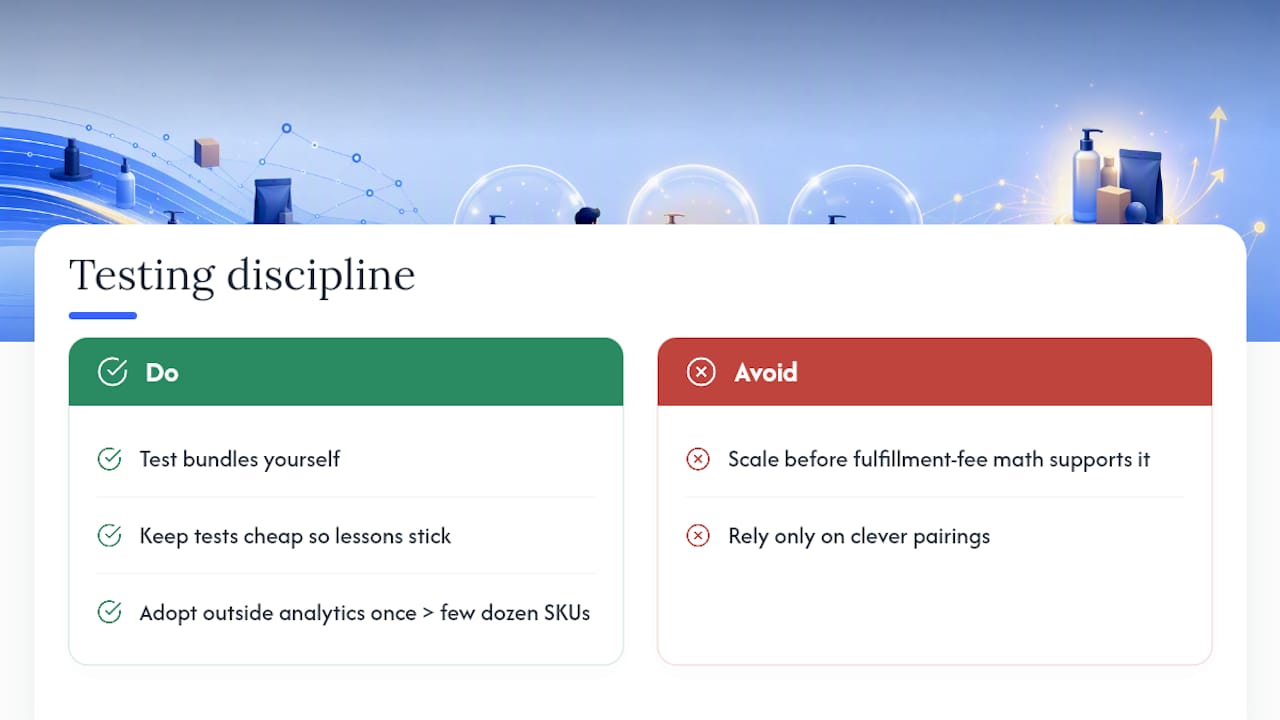
Small brands should test bundles themselves. It’s cheap, and the lessons stick. Once a catalog grows past a few dozen SKUs, the math gets harder to track by hand, and that’s when outside analytics earns its cost.
The real skill isn’t picking clever pairings. It’s resisting the urge to scale a bundle before the fulfillment fee math actually supports it.
— Dan Katona
Sources
- Amazon Seller Central — Virtual Bundles help
- Sell on Amazon — Product bundling
- How to Create Virtual Bundles on Amazon FBA | TheFBAGirl
- How to Use Amazon Virtual Bundles to Increase Sales and Profit Margins - Seller Labs
Recommended



















































.webp)